EdTech platform: website, student portal, admin
A whole school, moved off Facebook and into one campus.
A law exam coaching school ran its classes, exams and book sales through a Facebook page. They asked what their own platform would look like. We built it: a website that sells the programmes, a portal where students learn and sit exams, and an admin panel that runs the night.
- CLIENT
- Exam coaching school (name withheld)
- LOCATION
- Dhaka, Bangladesh
- YEAR
- 2026
- Product research
- UX and interface design
- Course website
- Student portal
- Admin panel
- Guided demo


Hundreds of students, run from a Facebook page.
The school teaches cohort programmes for two national law exams. Everything a student needed was a post, a PDF or a phone call.
- 01
Courses sold by phone
Programmes had a named exam target and a fee, but no checkout. Enrolment meant a call and a bKash screenshot.
- 02
Exams for 200 at once
Weekly exams with a fixed window and a merit list, sat by a couple of hundred students on phones with weak connections.
- 03
Handwritten answer scripts
Marking written answers is the school's selling point, and the hardest thing to do over Facebook.
- 04
A non-technical owner
A feature list would not win the decision. He had to open a link and use the product himself.
Three products that share one login and one design.
The website sells, the portal teaches, the admin panel runs the school. Every button in the demo works or says which phase it belongs to.
- 01
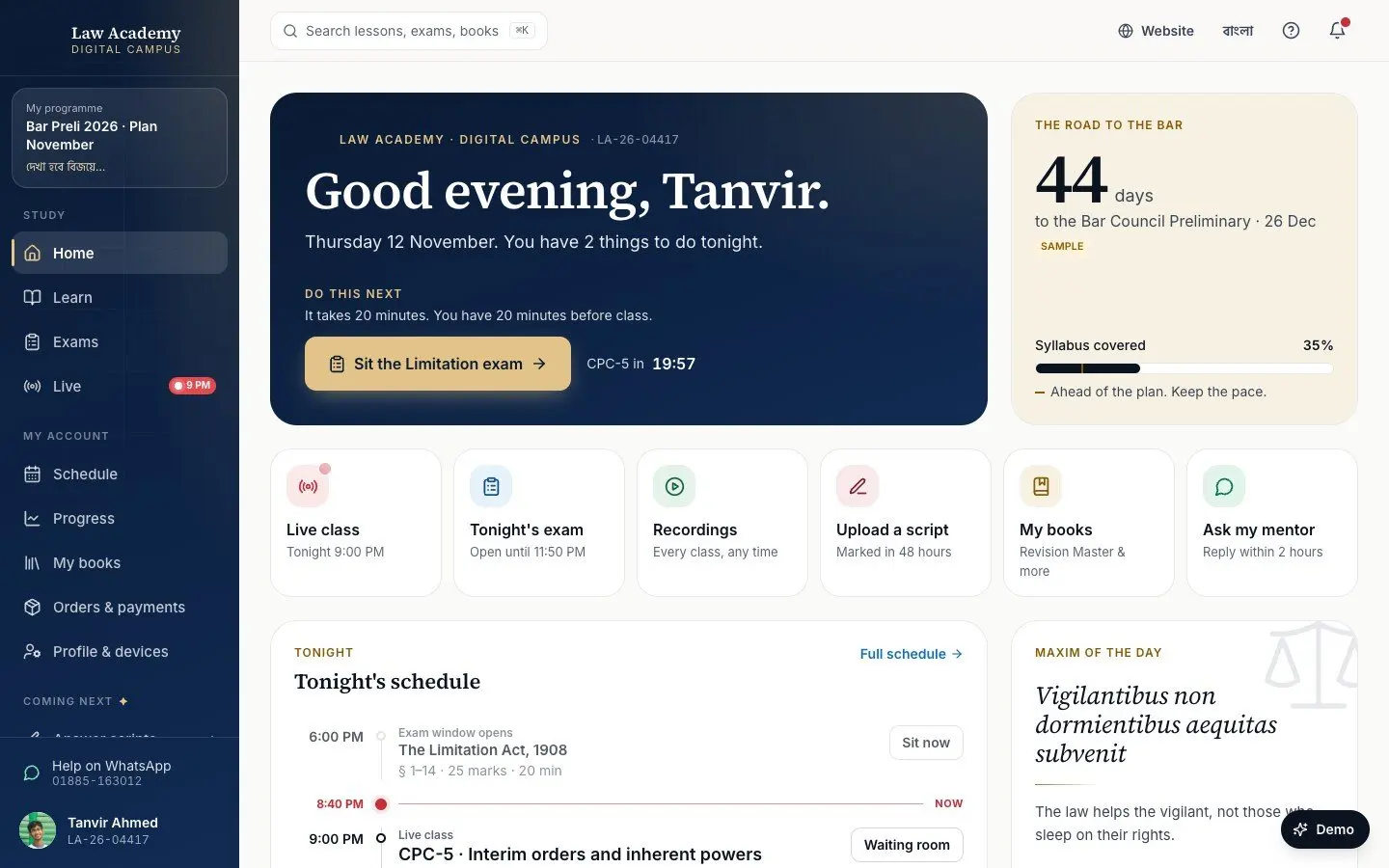
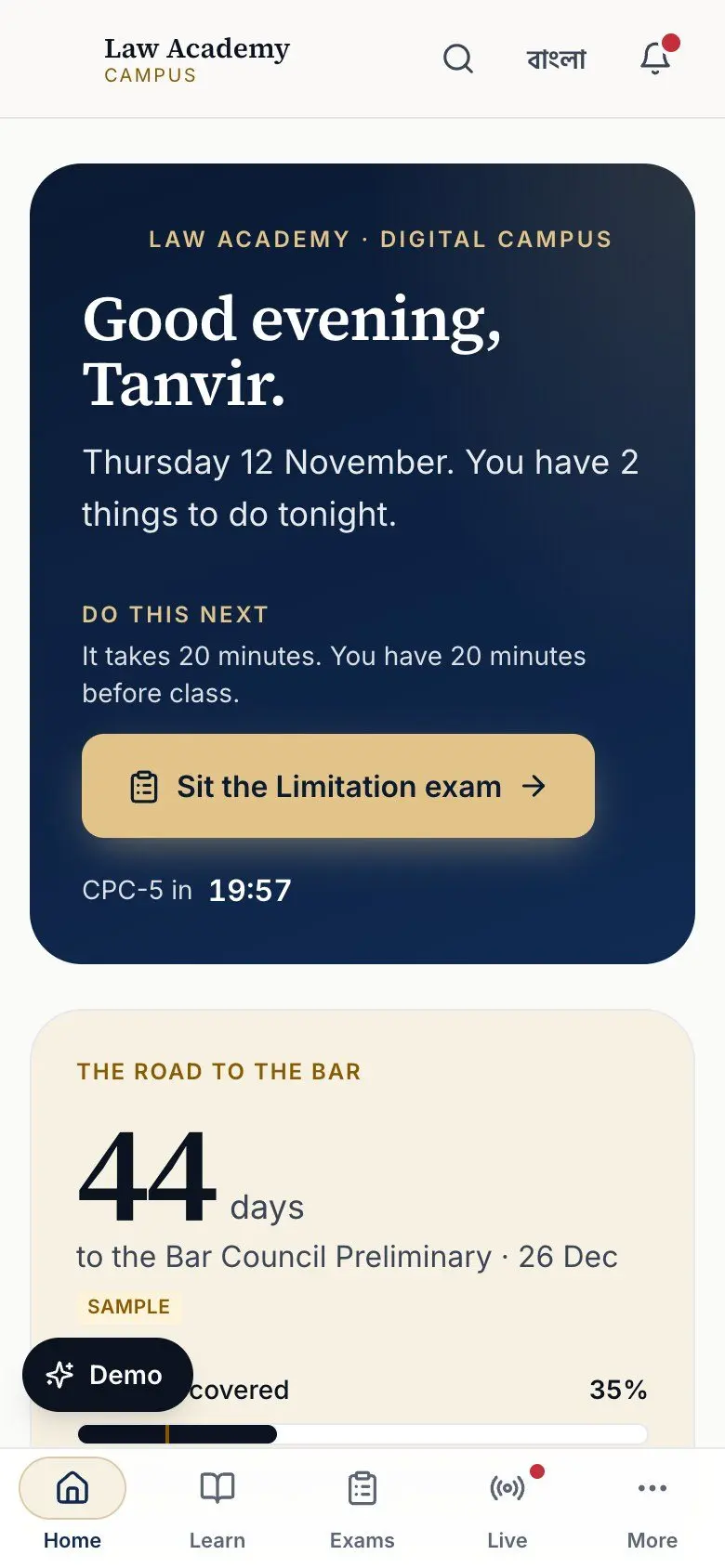
The portal home answers three questions.
What is next tonight, how am I doing, what should I do now. A student reads all three in under five seconds, with the days left to the exam beside them.
- 02
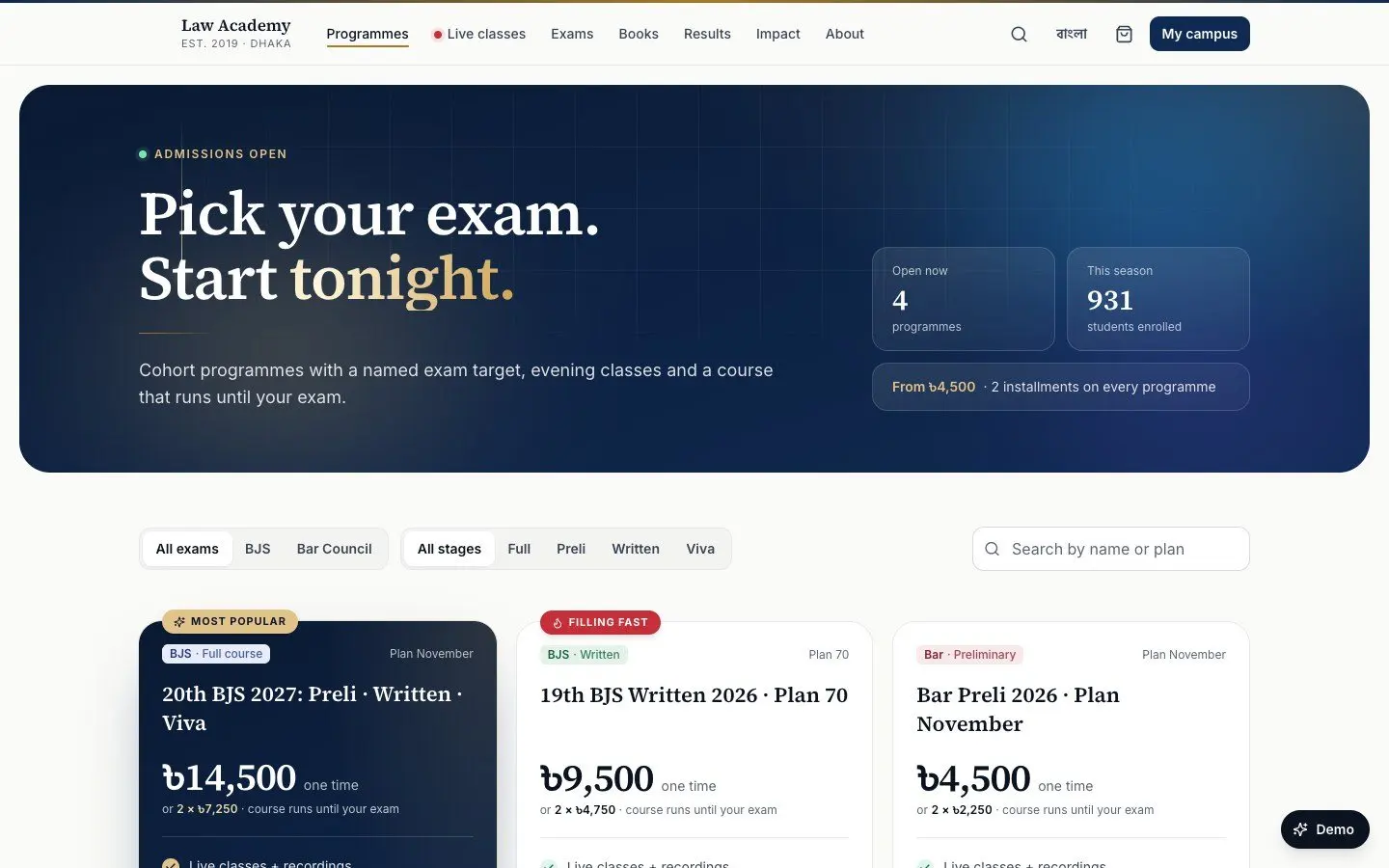
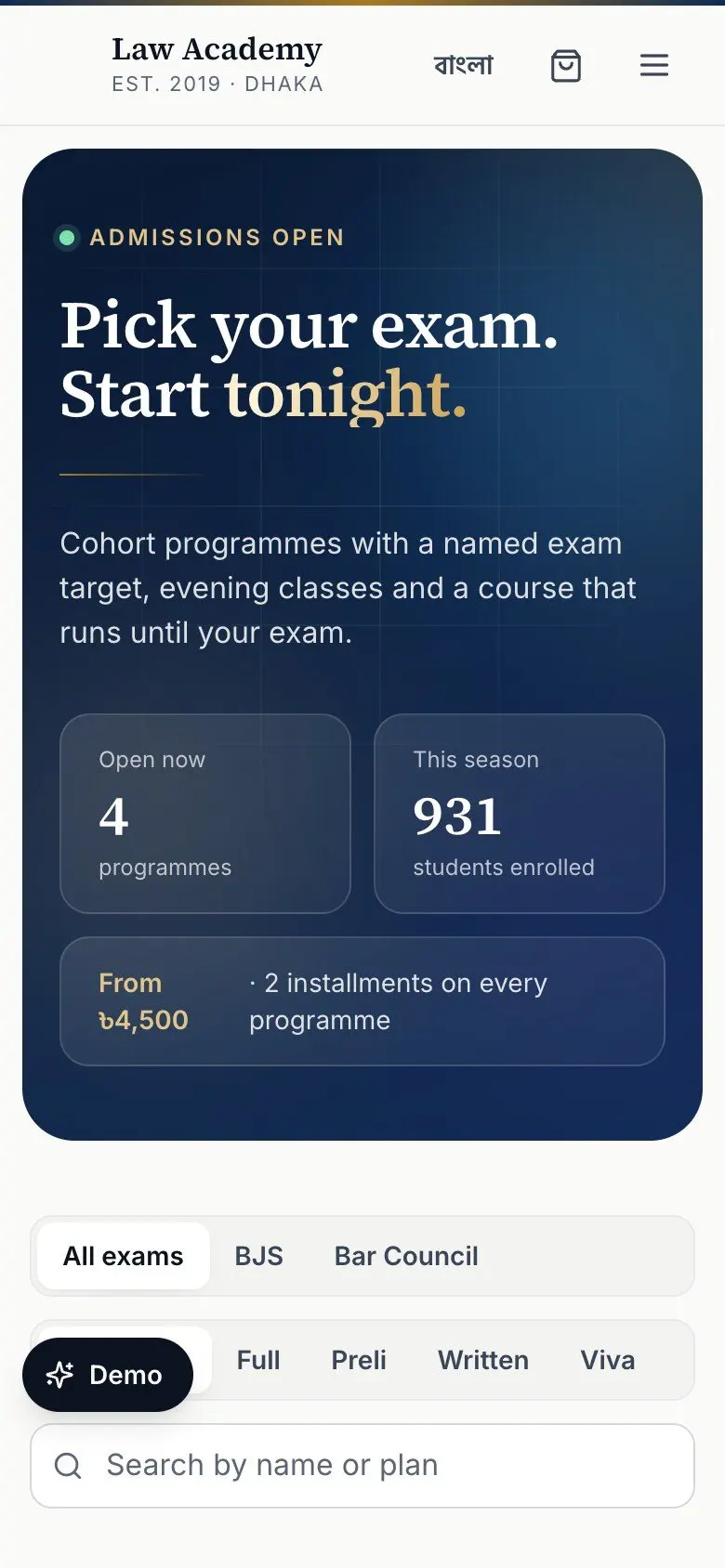
Programmes sold like a product.
Each programme is a card with its exam, fee, instalments and seats left. Filters split the two exams and their stages, so a student finds theirs in one tap.
- 03
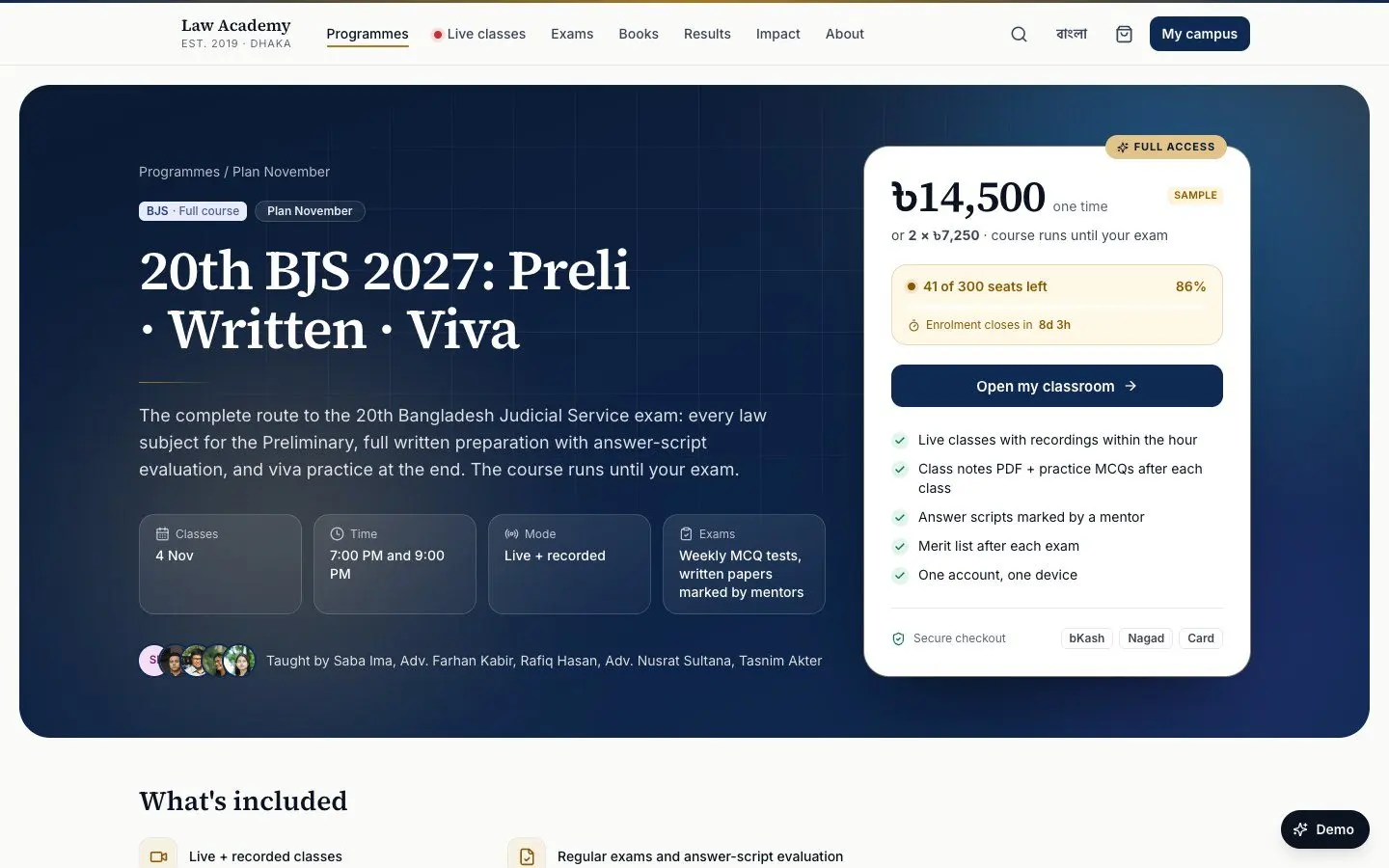
One programme, one clear offer.
The programme page puts the price, the instalment plan and what is included in one panel, with the mentors' names under it. The button reads the same on every page.
- 04
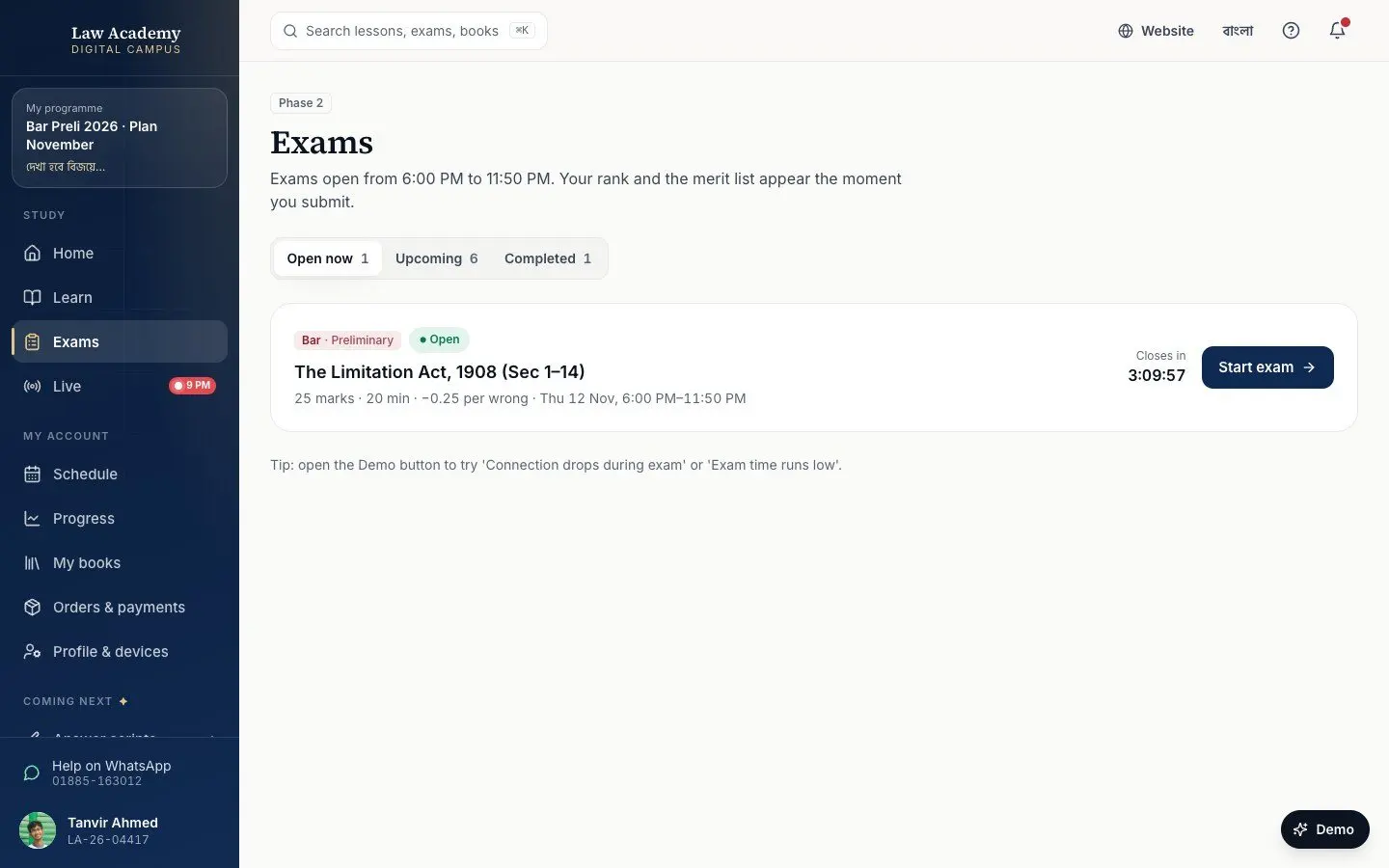
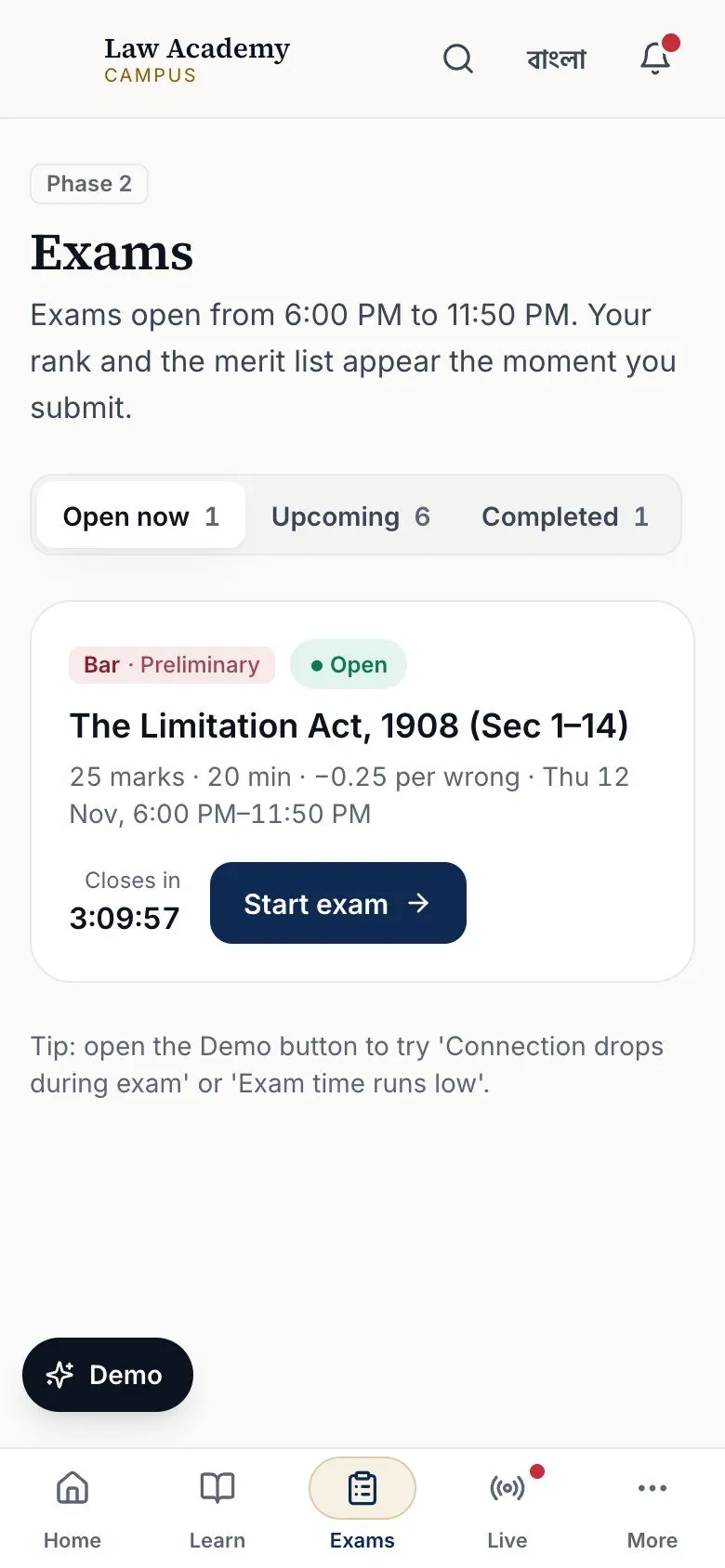
An exam hall built for a weak connection.
A timer, autosave, a question palette, flags and keyboard shortcuts. If the connection drops, answers queue on the phone and send when it returns.
- 05
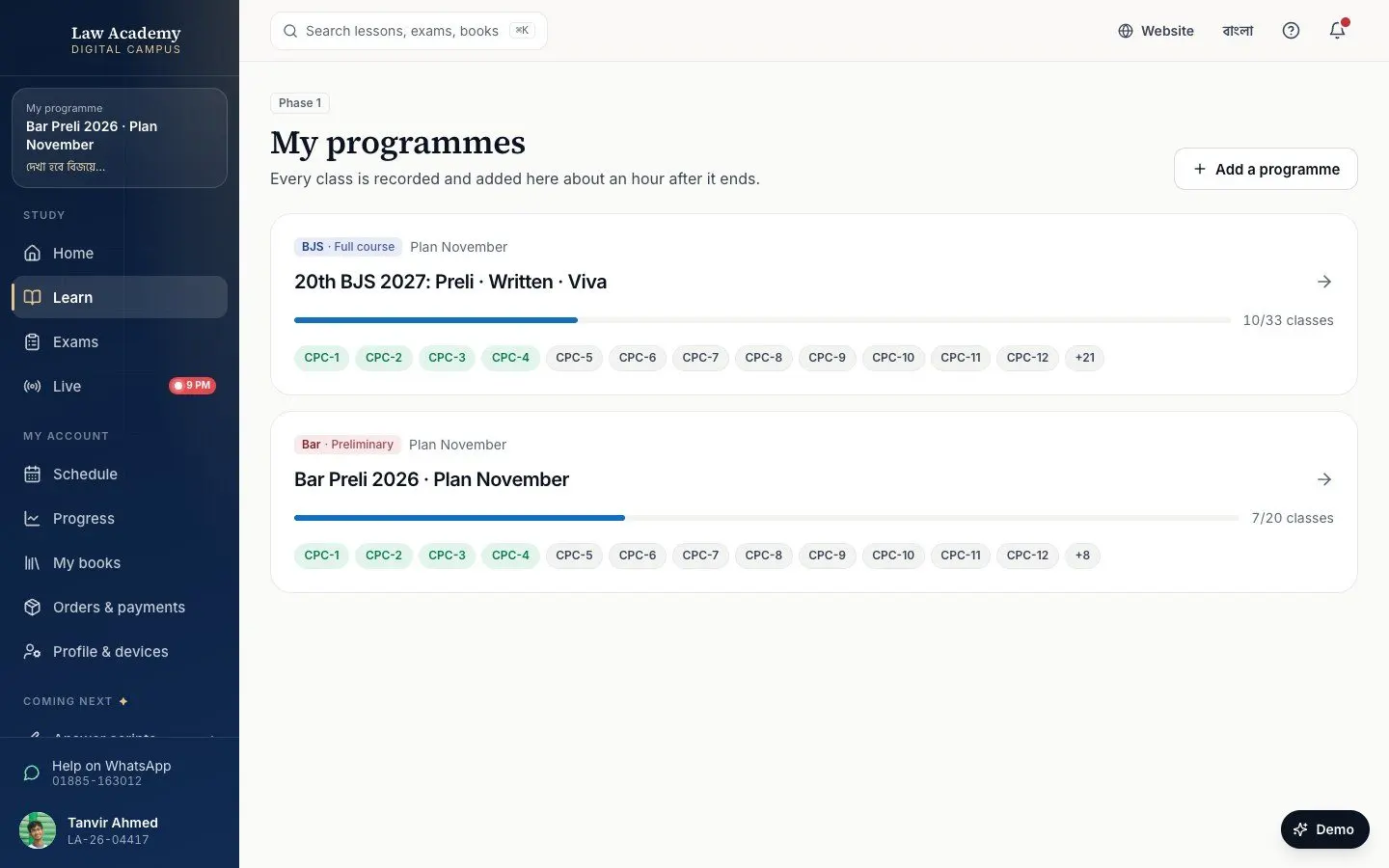
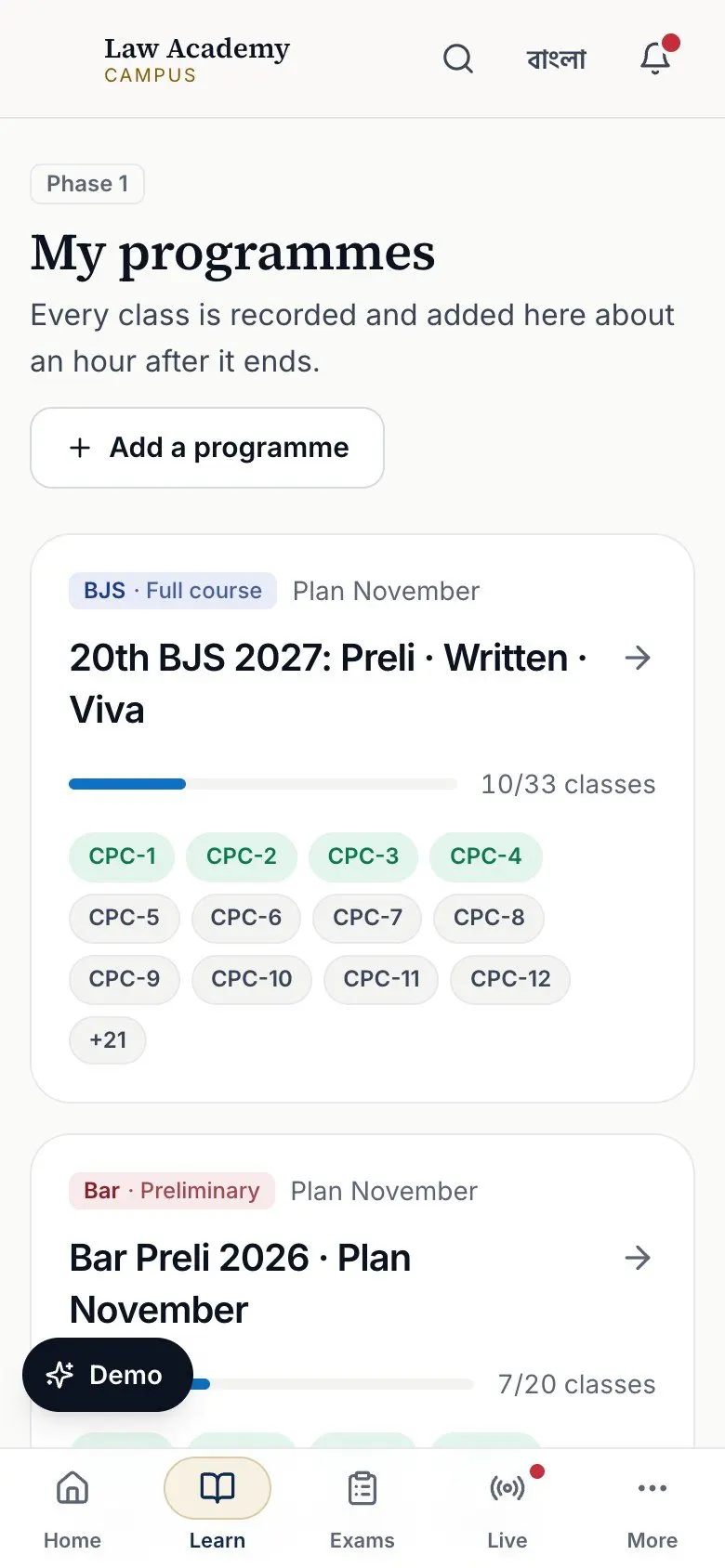
Lessons that follow the syllabus.
Recorded classes carry the school's own class codes. The class map ticks off each section of the law as the student watches it.
- 06
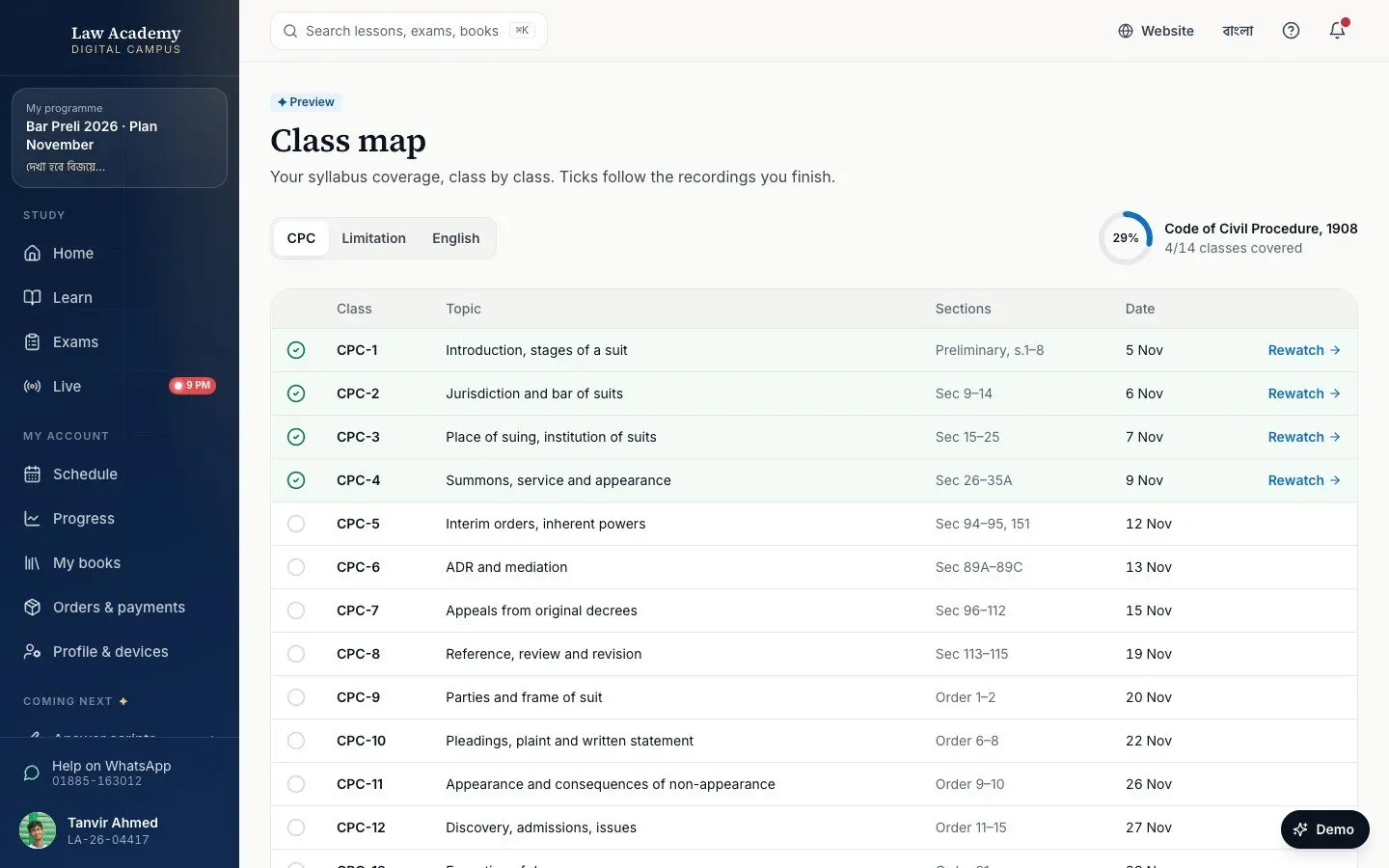
The class map as a progress tool.
The school already published a class map for each subject. We turned it into a checklist: every class, its sections and its date, with a tick when it is watched.
- 07
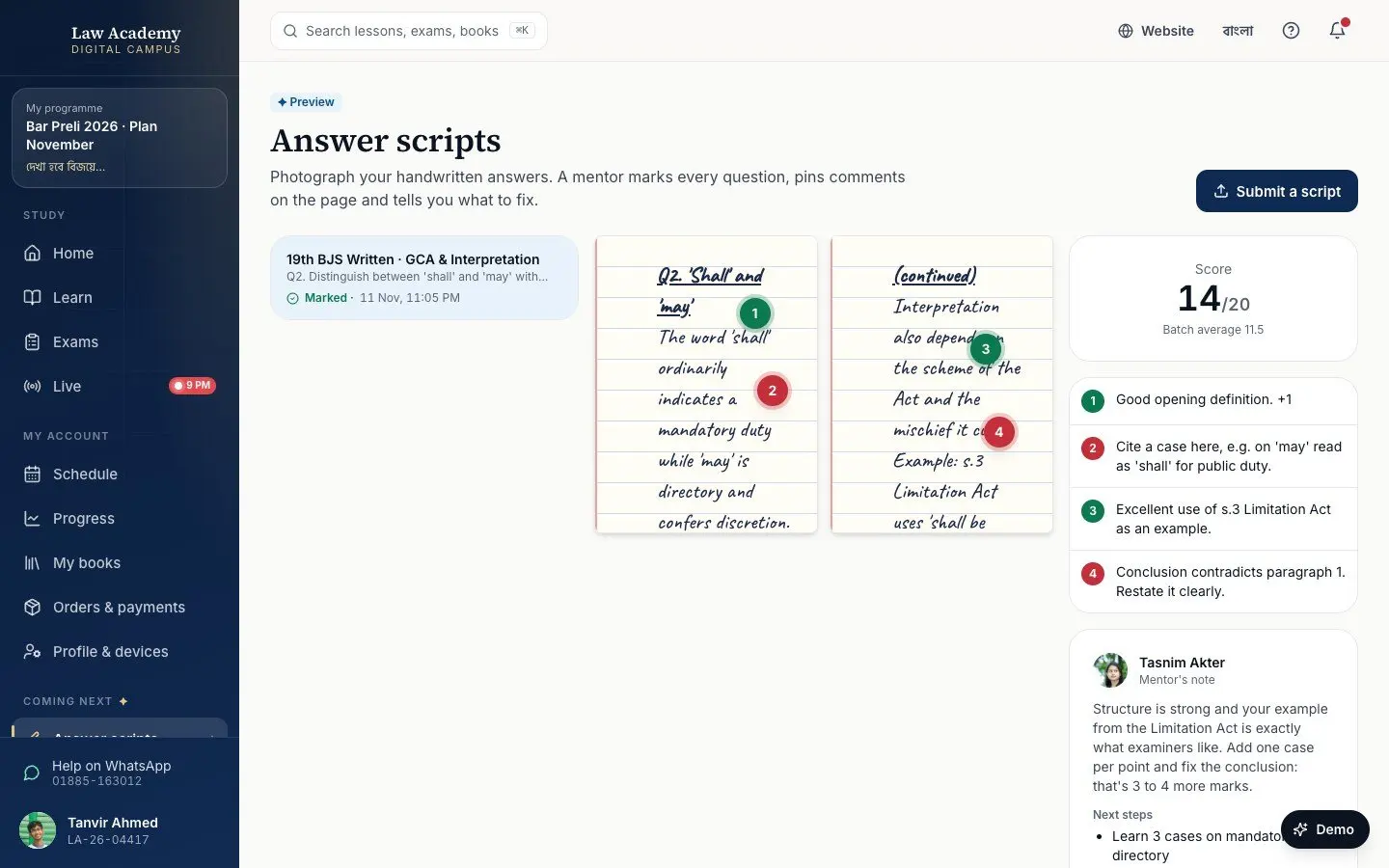
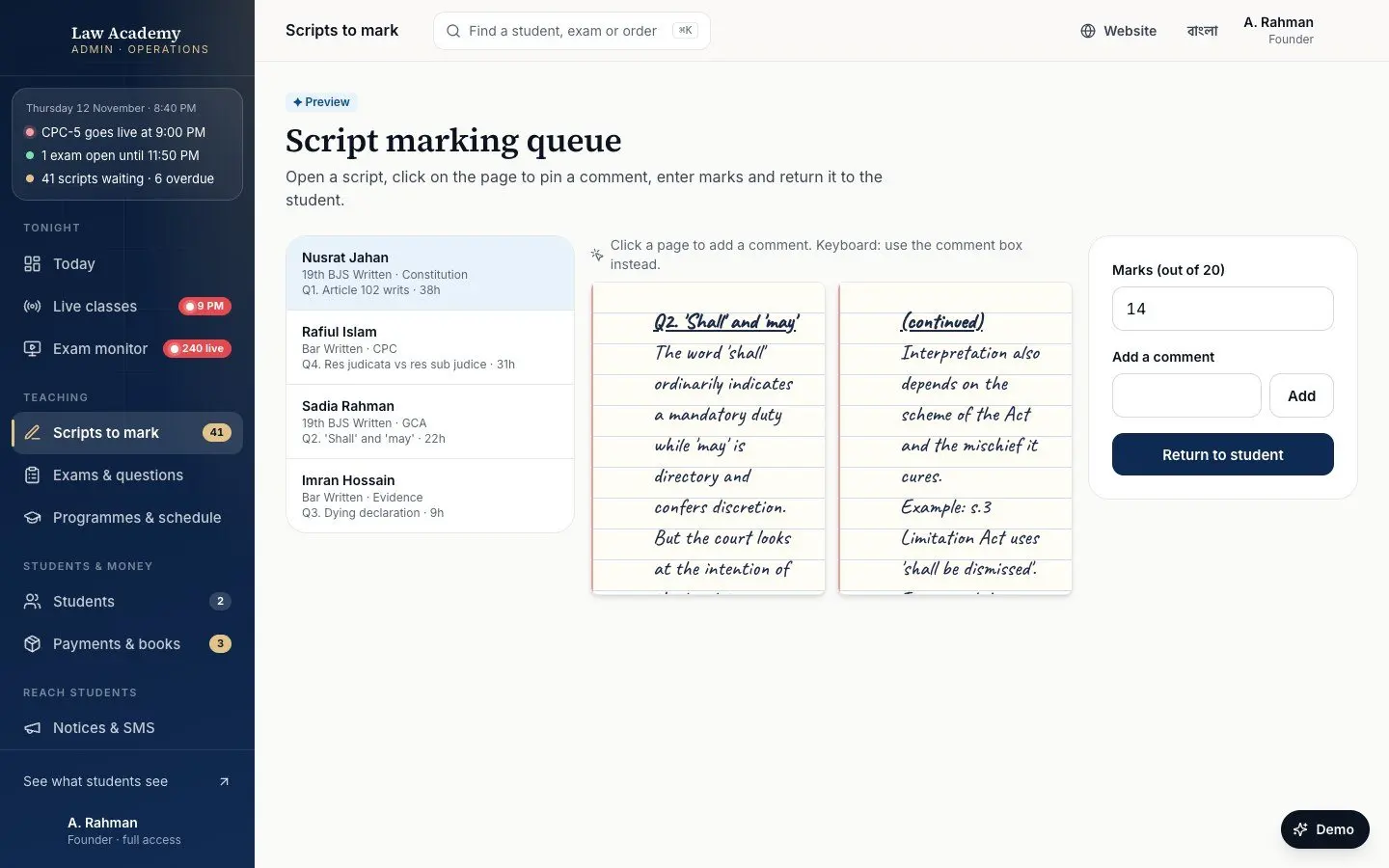
Handwritten scripts, marked on screen.
A student photographs a written answer. A mentor pins comments on the page, gives a mark and sends it back with next steps.
- 08
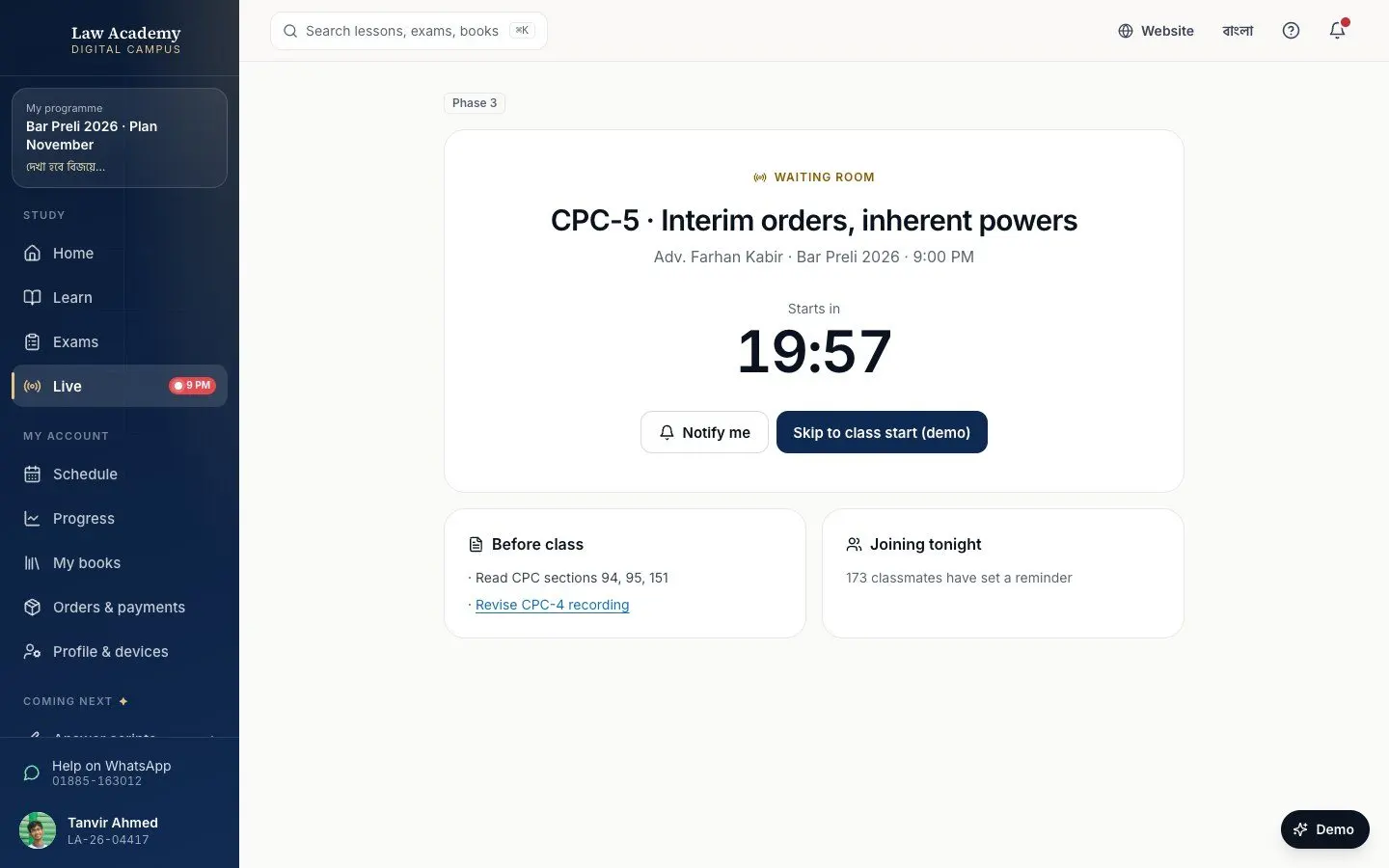
A waiting room before every live class.
A countdown, what to read before class and how many classmates set a reminder. The class itself streams with chat, polls and a raised hand.
- 09
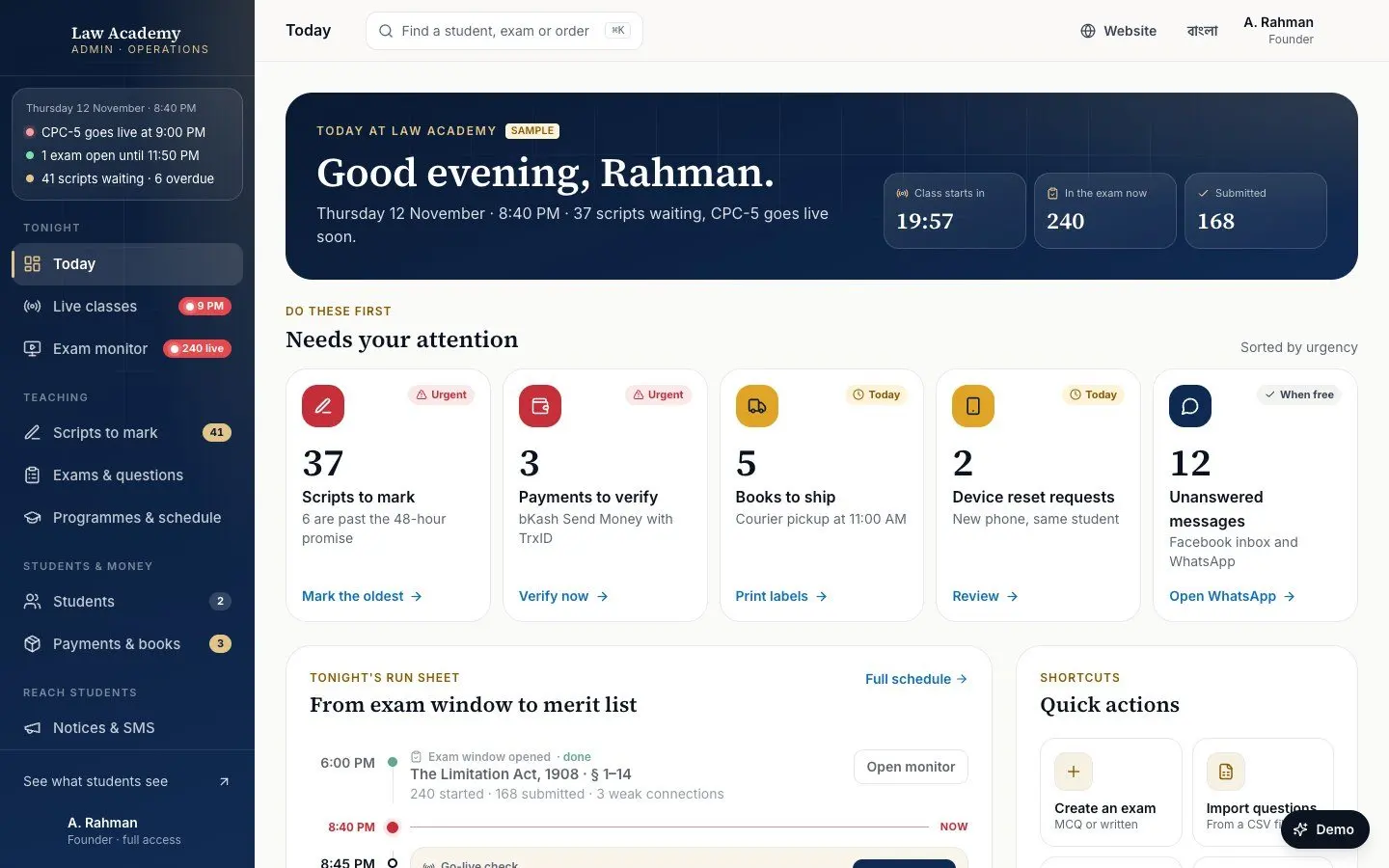
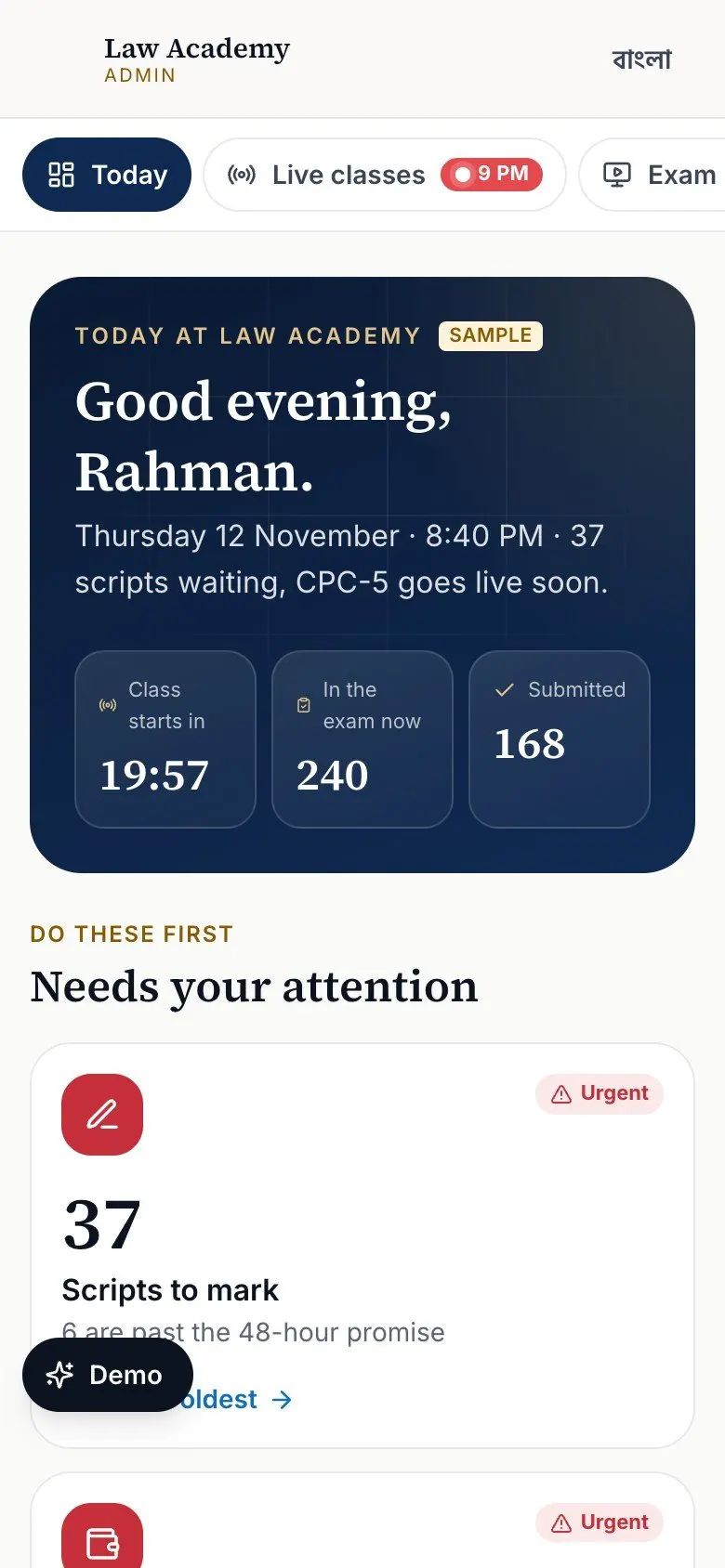
The admin opens on what needs doing.
Scripts waiting to be marked, payments to verify, books to ship, device resets. Sorted by urgency, with tonight's run sheet from exam window to merit list under it.
- 10
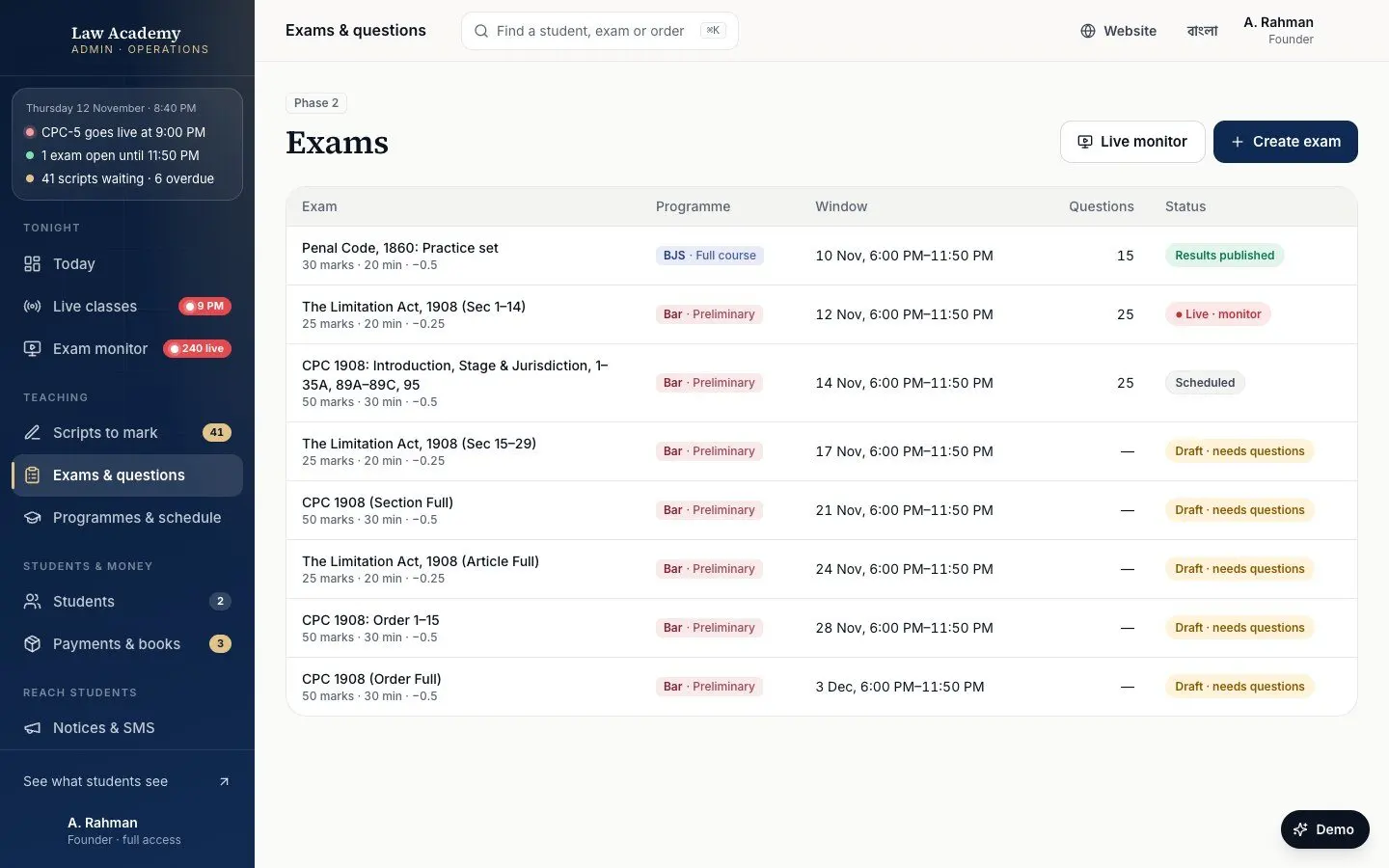
An exam builder with a live monitor.
Exams are made by hand or imported from a spreadsheet, which flags bad rows before they go live. During the window, a monitor shows who has started and who has dropped.
- 11
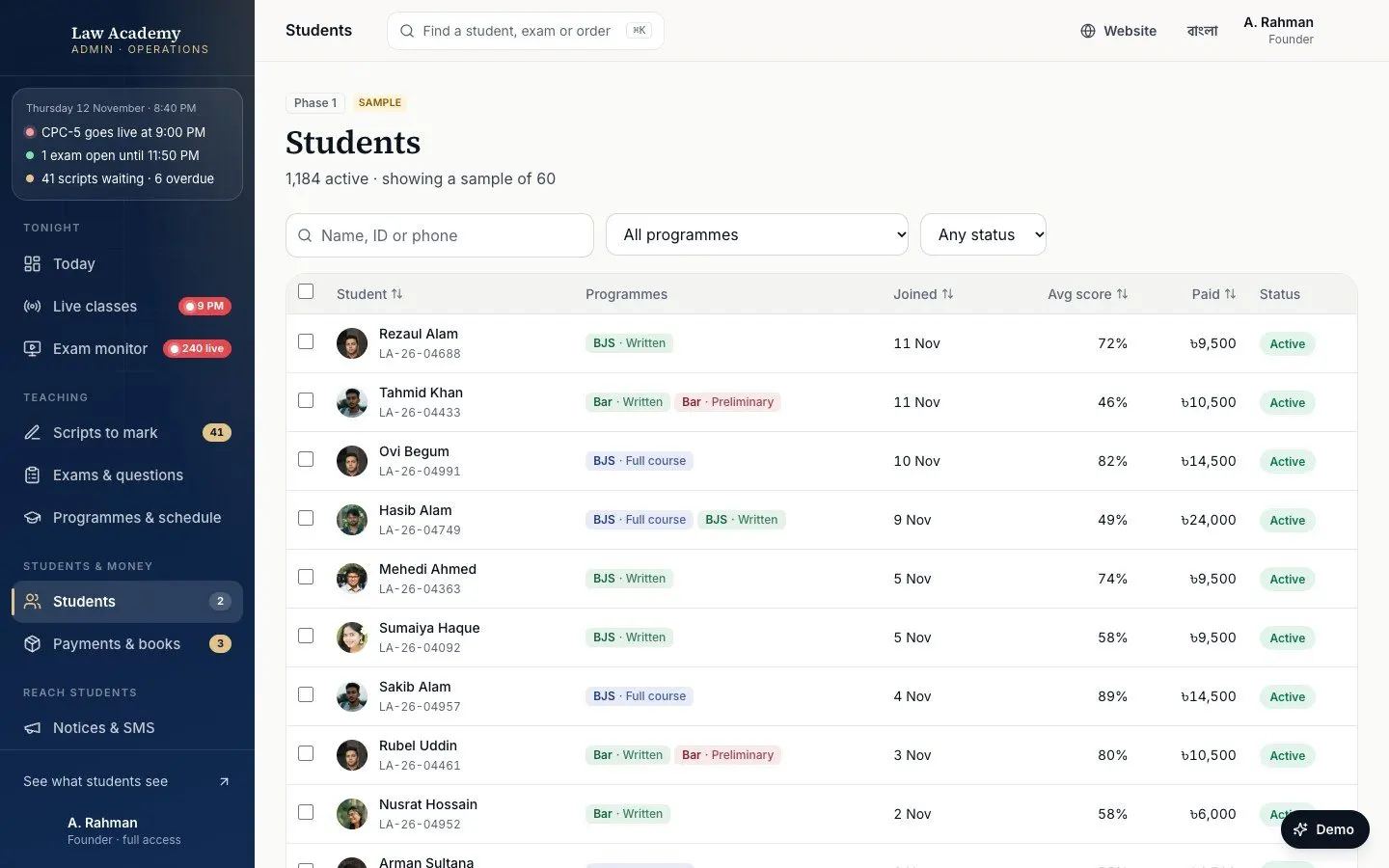
Every student in one table.
Sort and filter by programme, payment and score. Bulk actions and a device reset sit on the row, because 'new phone, same student' is the most common support request.
- 12
A marking queue for mentors.
Scripts arrive in a queue with the oldest first. A mentor clicks on the page to pin a comment, enters the mark and returns it in one step.
From exam window to merit list, with nobody chasing anyone.
The demo runs on a clock set to a real exam evening, so the owner can watch the whole night happen.
- 1
6:00 pm, the window opens
Students get a reminder and sit the exam whenever they are free that evening.
- 2
They answer on a phone
Autosave on every tap. If the signal drops, answers wait on the phone and send later.
- 3
Staff watch it live
A monitor shows who started, who submitted and whose connection is weak.
- 4
11:50 pm, it closes
Multiple-choice papers are marked the moment the window shuts.
- 5
The merit list appears
Each student sees a score, a rank and a review of every question.
- 6
Scripts go to mentors
Handwritten answers join a queue, oldest first, with a 48-hour promise.
Want an app or portal like this for your business?
Tell us what you need on a free 30 minute call. You leave with a plan and a price, whether or not we work together.
Research first. Then two days of building.
The demo had to feel built for this school, not for a school. So the first job was to learn how they already teach.
- STEP 01
Read their public page
Posts, schedules, posters and book covers showed the real structure: cohort plans, class codes, exam windows and the promise printed on every poster.
- STEP 02
Find what the brief missed
Answer-script marking, the class map and a study planner were not in the scope. They are how the school sells, so the demo shows them, marked as previews.
- STEP 03
Fix the colours for reading
Four colours in the earlier mockups failed contrast checks for normal text. The demo uses corrected tones that pass.
- STEP 04
Design at phone width
Screens were drawn at 390 pixels first, for a mid-range Android on mobile data. English by default, Bangla in one tap.
- STEP 05
Build every control
No dead buttons. Anything not built yet says which phase it belongs to, so the demo doubles as the project plan.
- STEP 06
Add a guided tour
A welcome sheet lets the owner pick student view, admin view or a two-minute tour. A Demo button switches roles and resets everything.
Every screen of the demo.
The website, the student portal and the admin panel, on desktop and on a phone. Tap any screen to see it full size.
If you teach online, this is your platform.
Every part of the demo can be built for a coaching centre, a school, a course creator or a training company.
- A course website that sellsProgramme pages with fees, instalments and seats left, a free mock test and a checkout designed for mobile money and cards.
- A student portalLessons, a live class room, a schedule, progress charts and a planner behind one login.
- Online exams at scaleA timed exam hall with autosave and an offline queue, auto-marking and a merit list.
- Written answers marked onlineStudents upload a photo; mentors pin comments on the page and return a mark.
- An admin panel staff will useA to-do page sorted by urgency, a student table, an exam builder and a live monitor.
- Two languages from day oneEnglish and Bangla in one tap, with layouts and numerals that follow the language.
- 3Products: website, student portal, admin
- 40+Working screens
- 2Languages, English and Bangla
- 2 daysFrom plan to a link the client could open
This is a demo build for a client who is not named here. Their name, logo and founder were replaced in these screens, and every student, mentor and figure shown is sample data.
Teaching through Facebook and WhatsApp? Let's build your campus.
Courses, checkout, exams and an admin panel in one place. You see a working demo before you commit to the build.