Community app, newsroom and marketplace
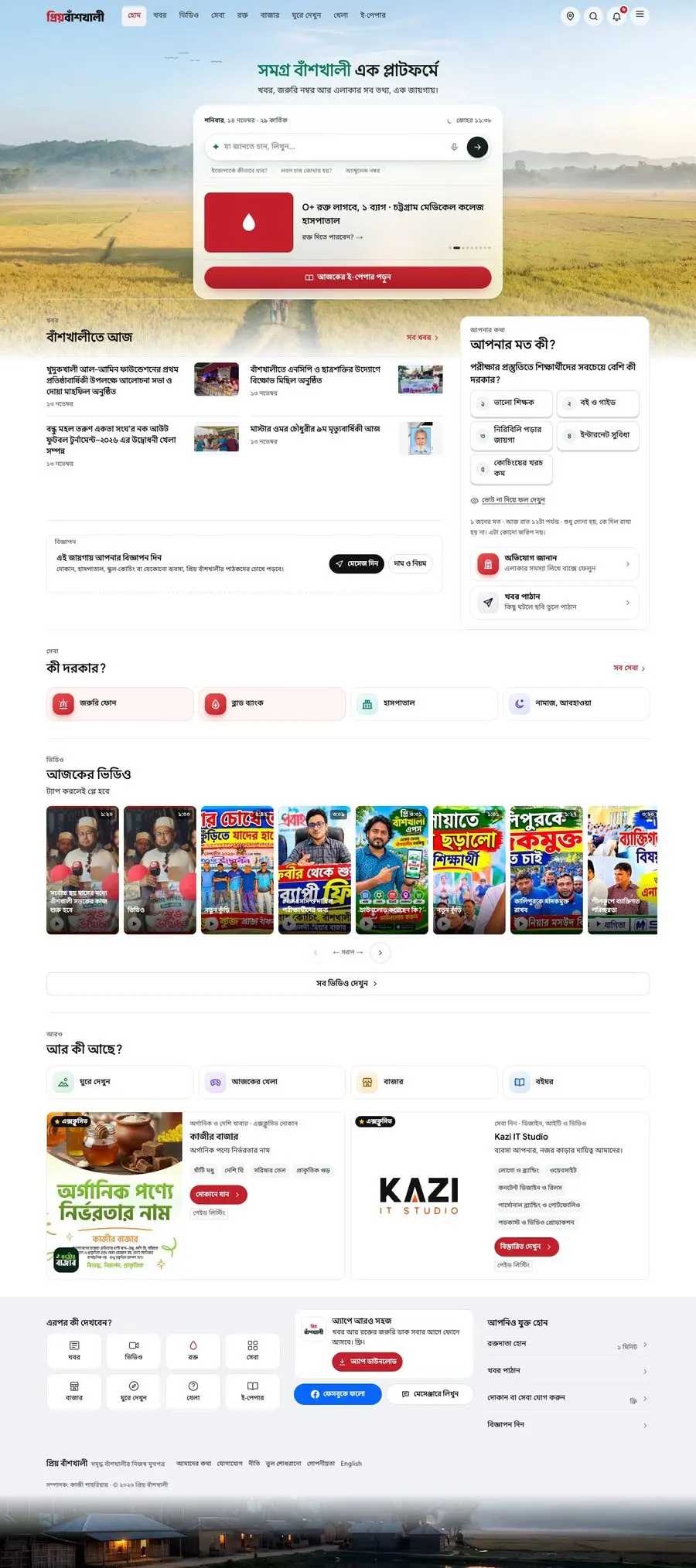
A whole town, on one screen.
Banshkhali is home to more than half a million people, and its news, phone numbers and shops were scattered across Facebook groups. We built one app that holds all of it, in Bangla, and the content system that keeps it fresh every day.
- PRODUCT
- Priyo Banshkhali (প্রিয় বাঁশখালী)
- PLATFORM
- Web app, installs on a phone
- YEAR
- 2026, live
- Product design
- Web app
- Newsroom tools
- Blood bank
- Map and travel
- Marketplace
- Brand and content system

Everything a town needs was lost in the feed.
A hospital number, tomorrow's weather, who needs blood tonight: all of it existed, somewhere, in a post from last week.
- 01
News without a home
Local stories ran on Facebook pages, with no archive, no areas and no way to check what was true.
- 02
Emergencies run on memory
The ambulance, the shelter, the nearest clinic. In a cyclone, nobody has time to scroll for a phone number.
- 03
Blood requests that vanish
A request for blood was a post that sank in an hour. Donors who wanted to help never saw it.
- 04
Local shops nobody can find
Small sellers had products and no storefront. Buyers abroad had money to send and nowhere to spend it.
Seventeen sections, and each one does a real job.
It opens like a news app and works like a town hall: read, find, ask, give, buy and play, all from the same five tabs.
- 01
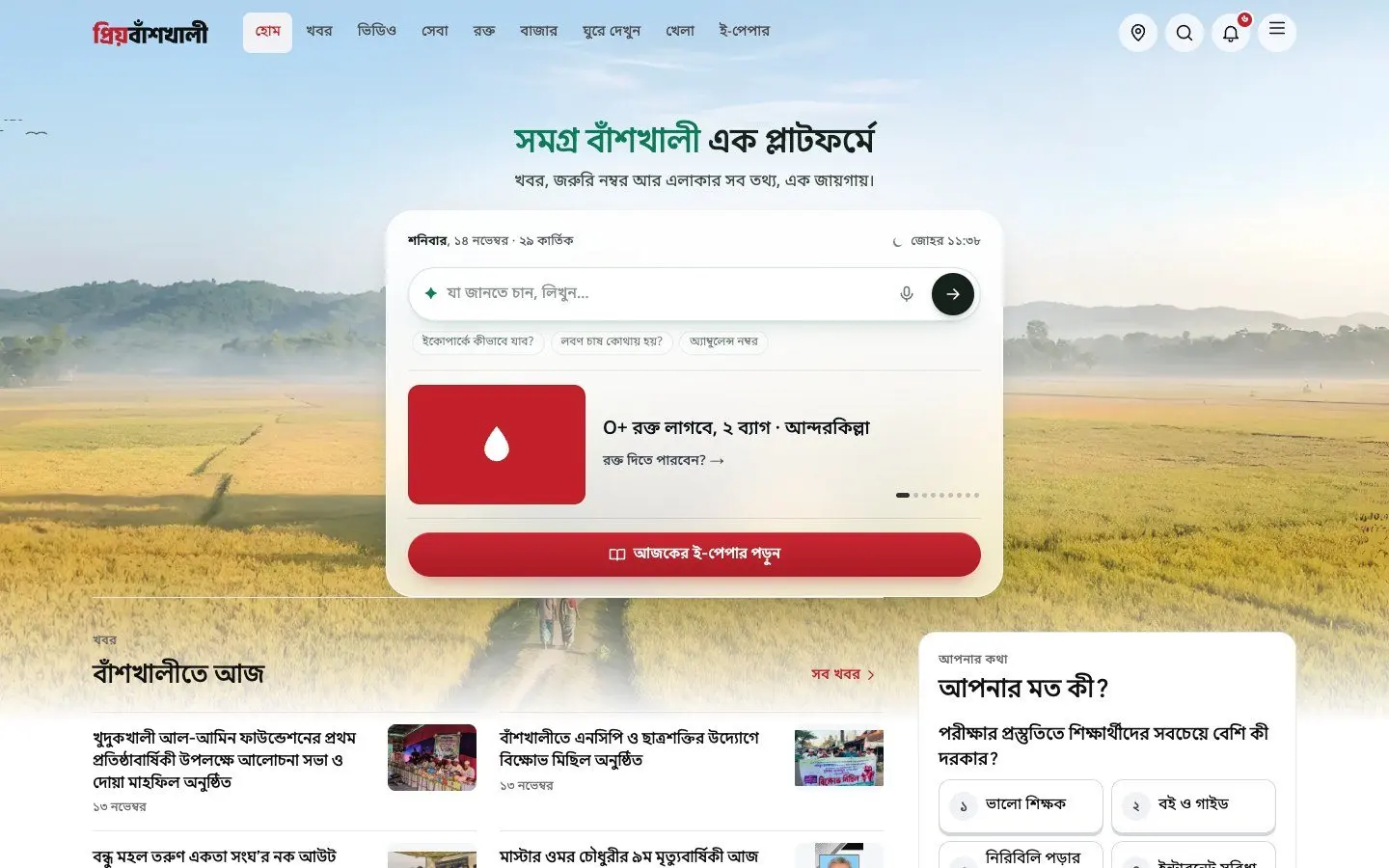
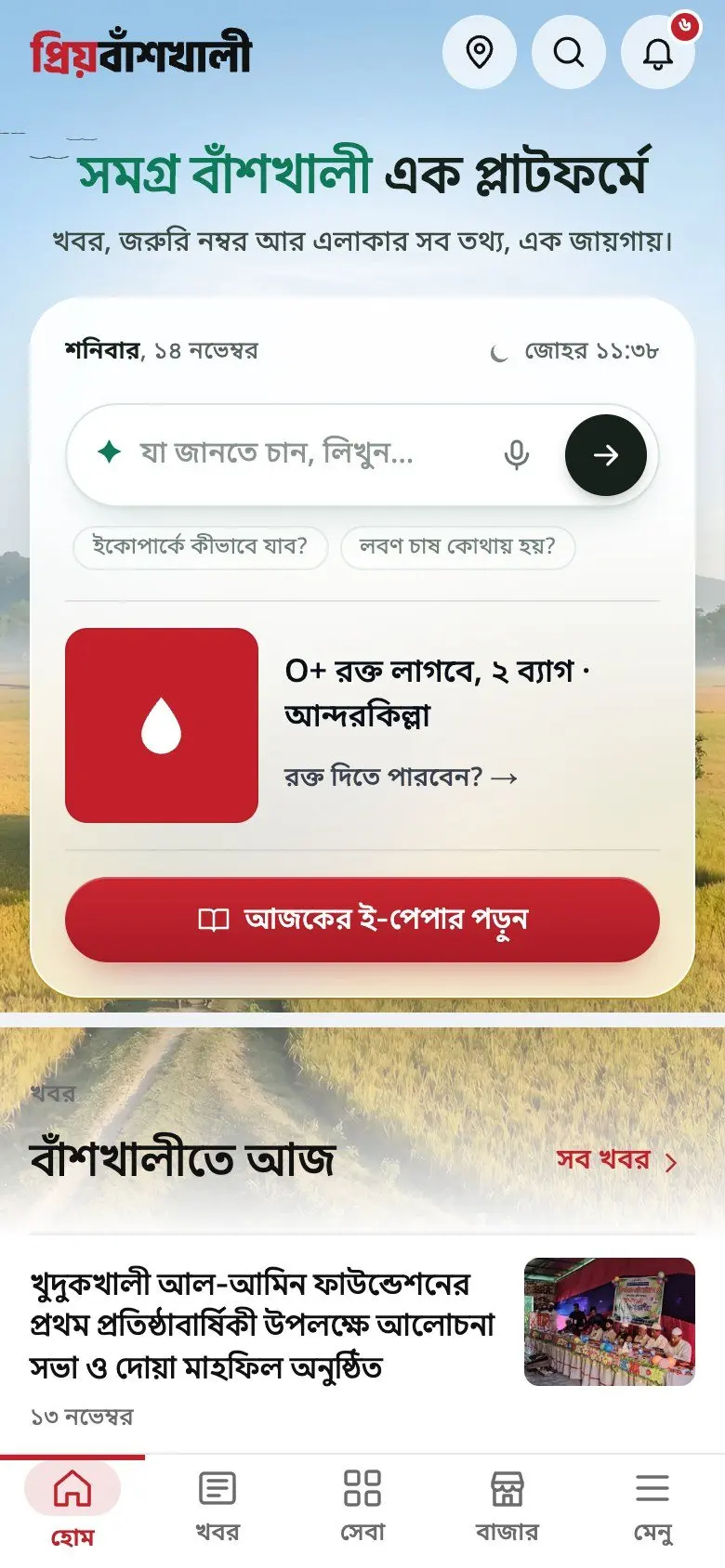
Home answers before you scroll.
One box to ask anything about the town, by typing or by voice. Under it, tonight's blood request and today's e-paper. The first screen is useful even if you read nothing else.
- 02
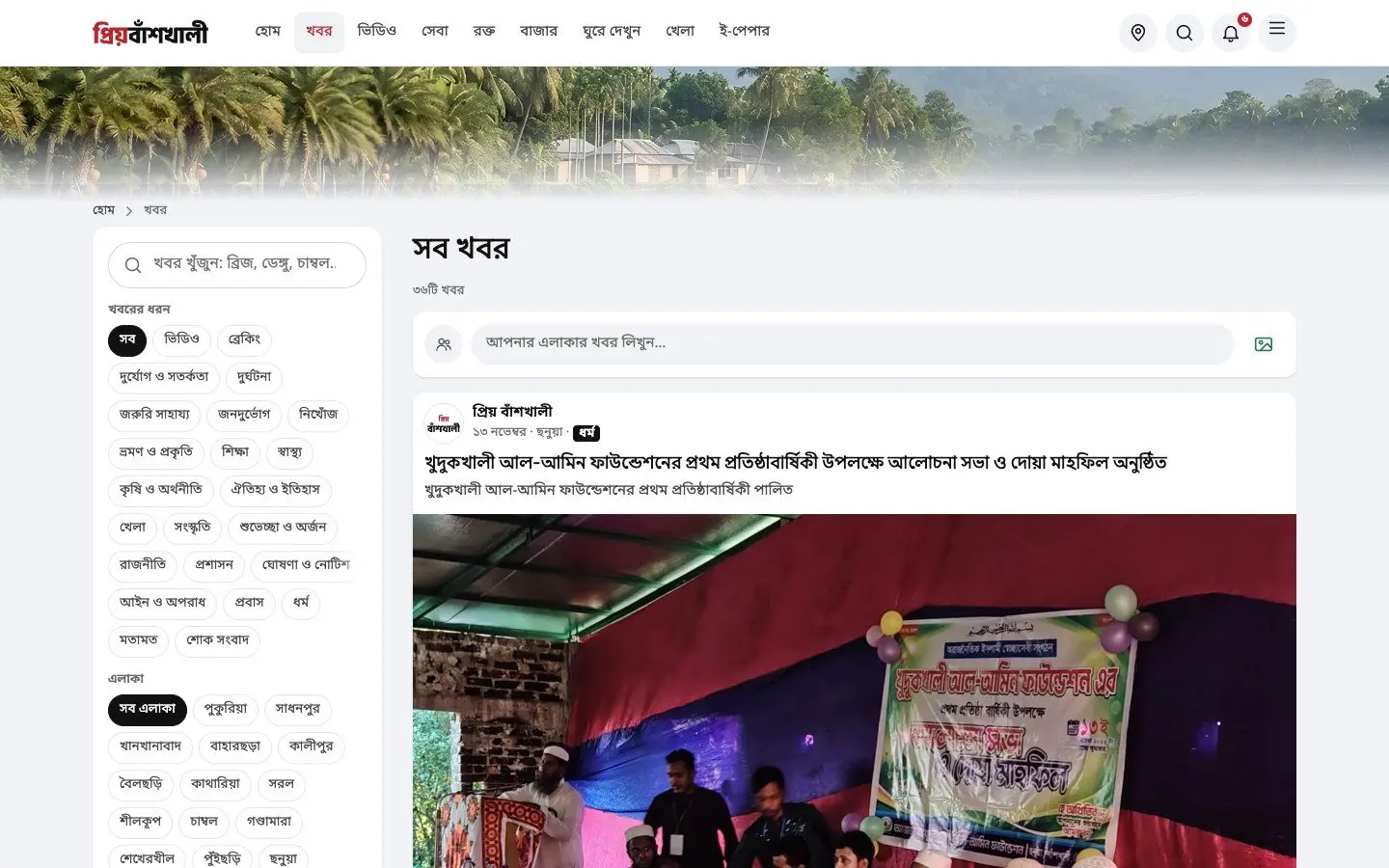
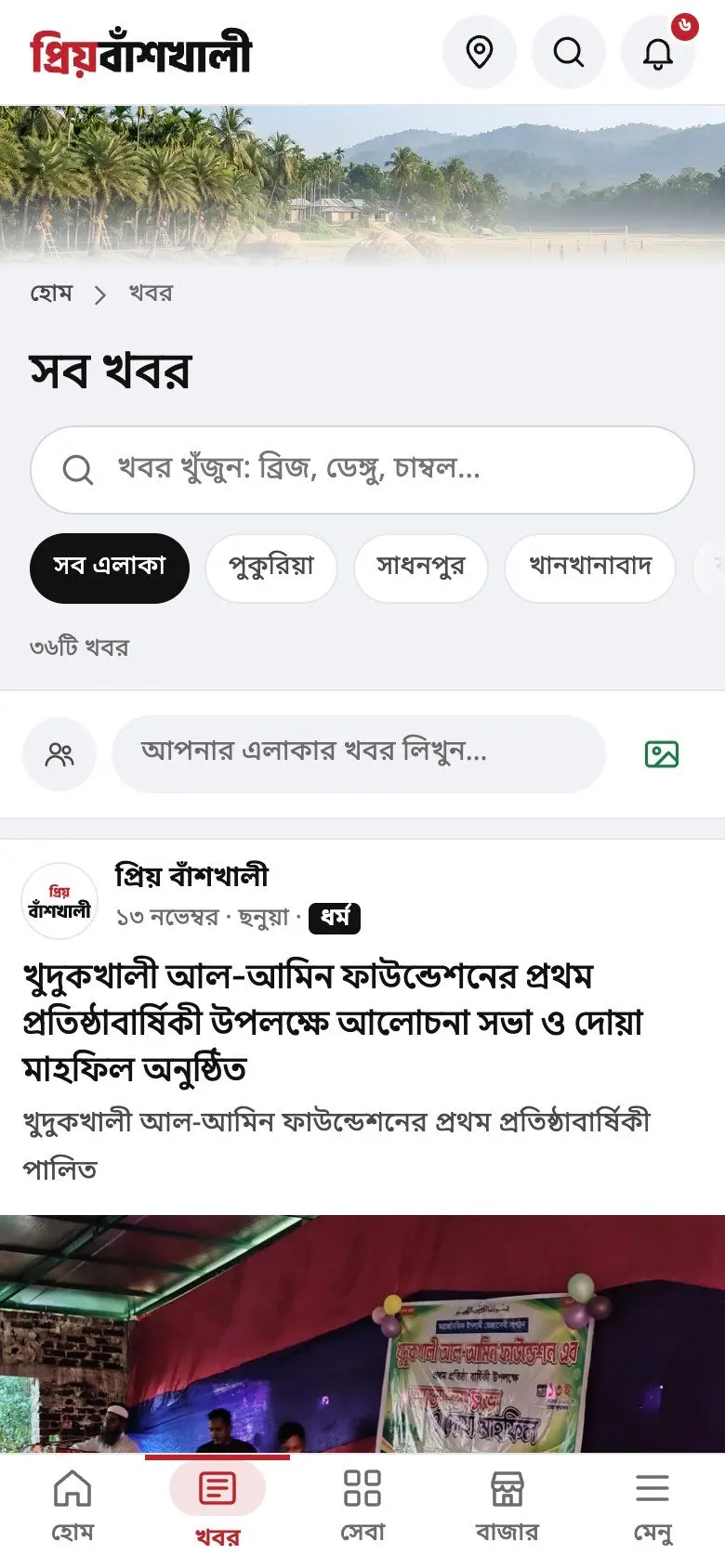
News you can filter by your own area.
Stories are sorted by union and by topic, so a reader in Puichhari sees Puichhari first. A box at the top lets anyone send in what is happening on their street.
- 03
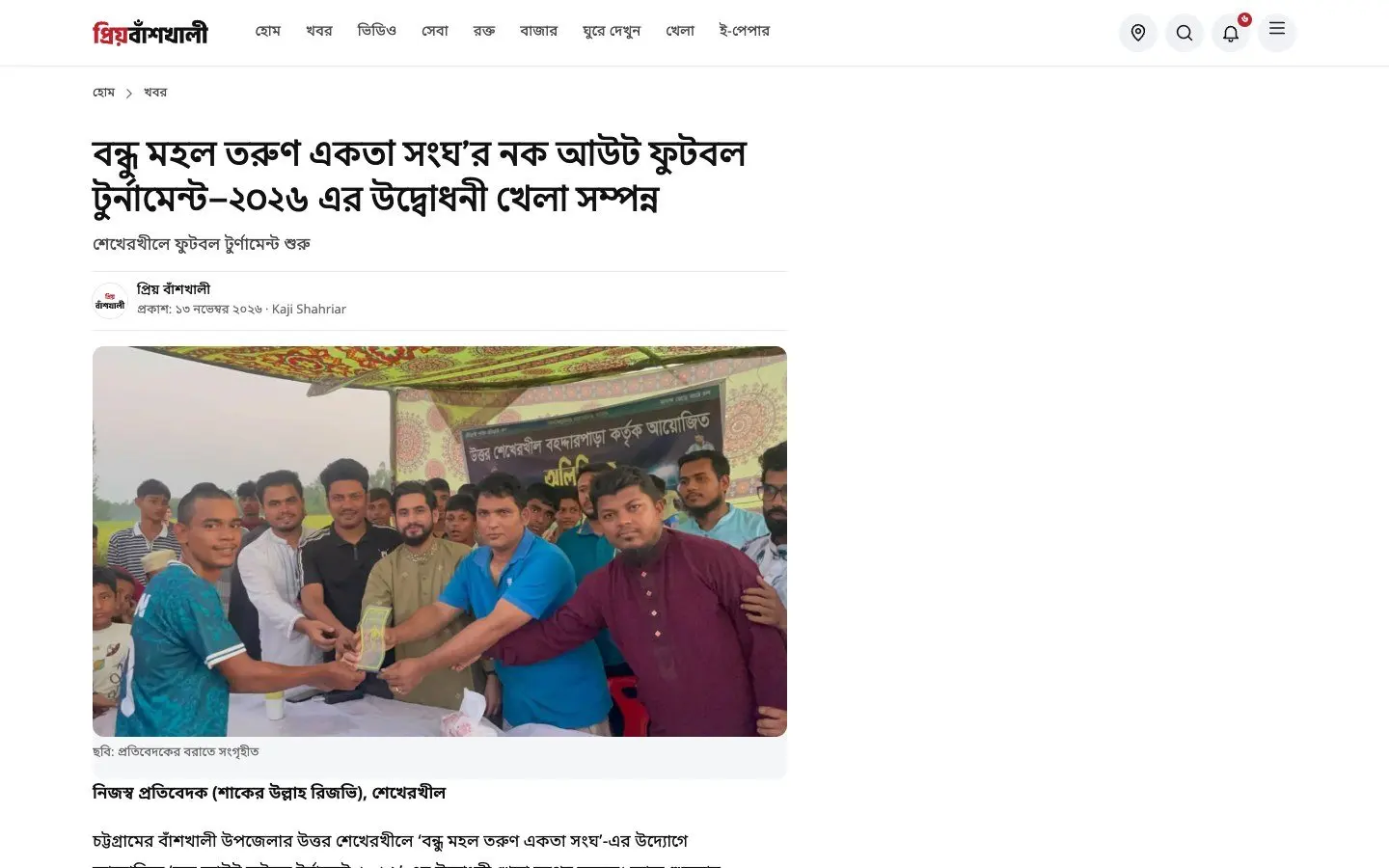
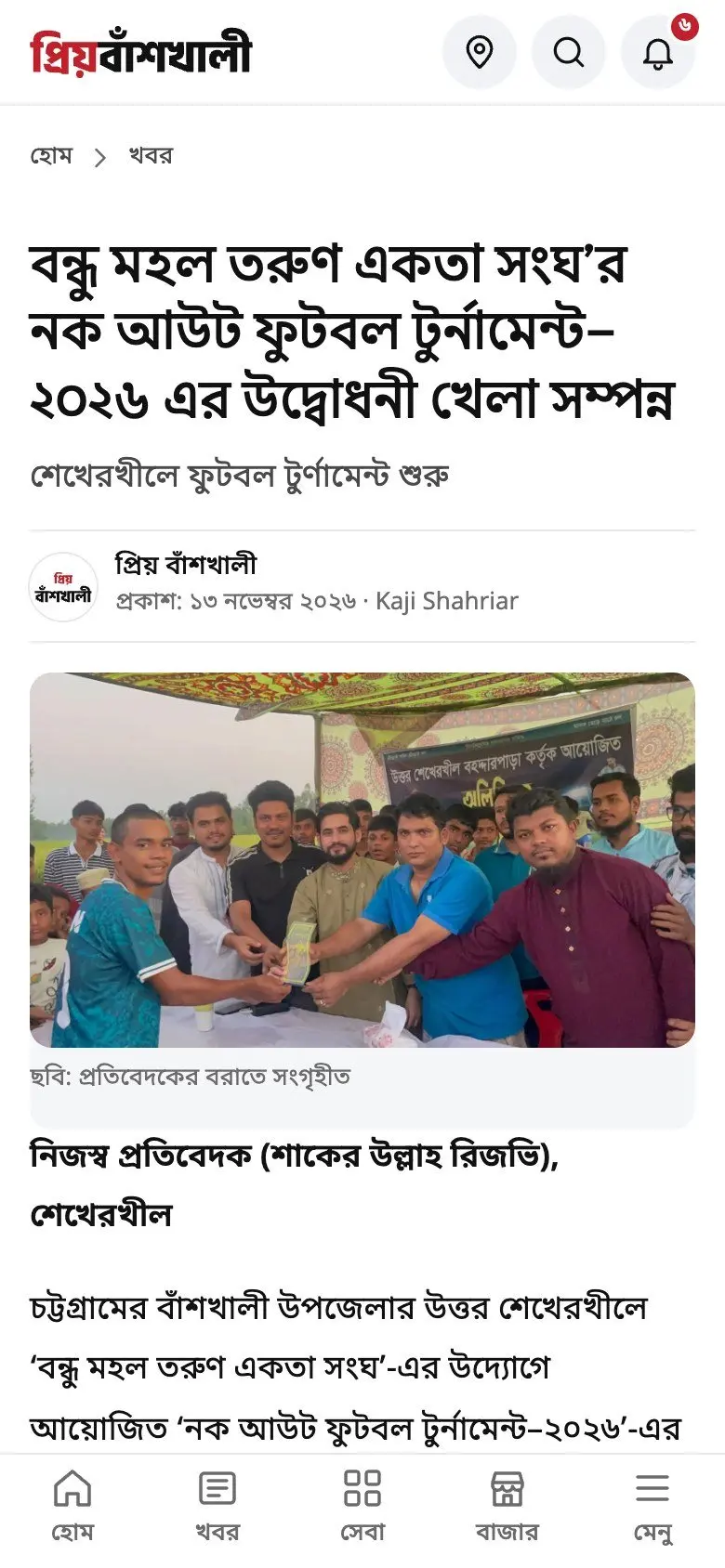
A story page that reads like a paper.
Headline, one-line summary, the reporter and the date, then the photo with its credit. There is a public corrections page, because a local paper lives on trust.
- 04
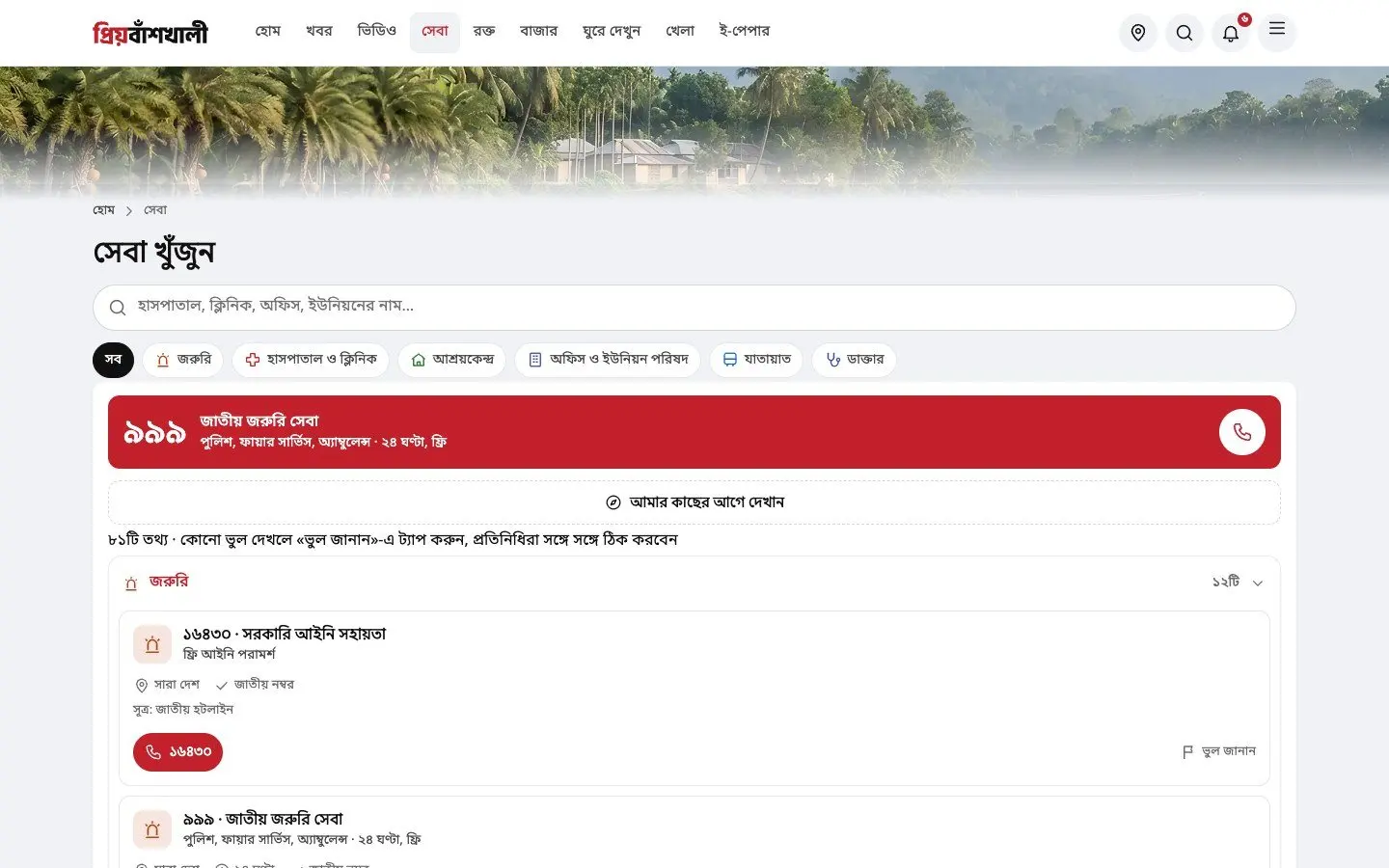
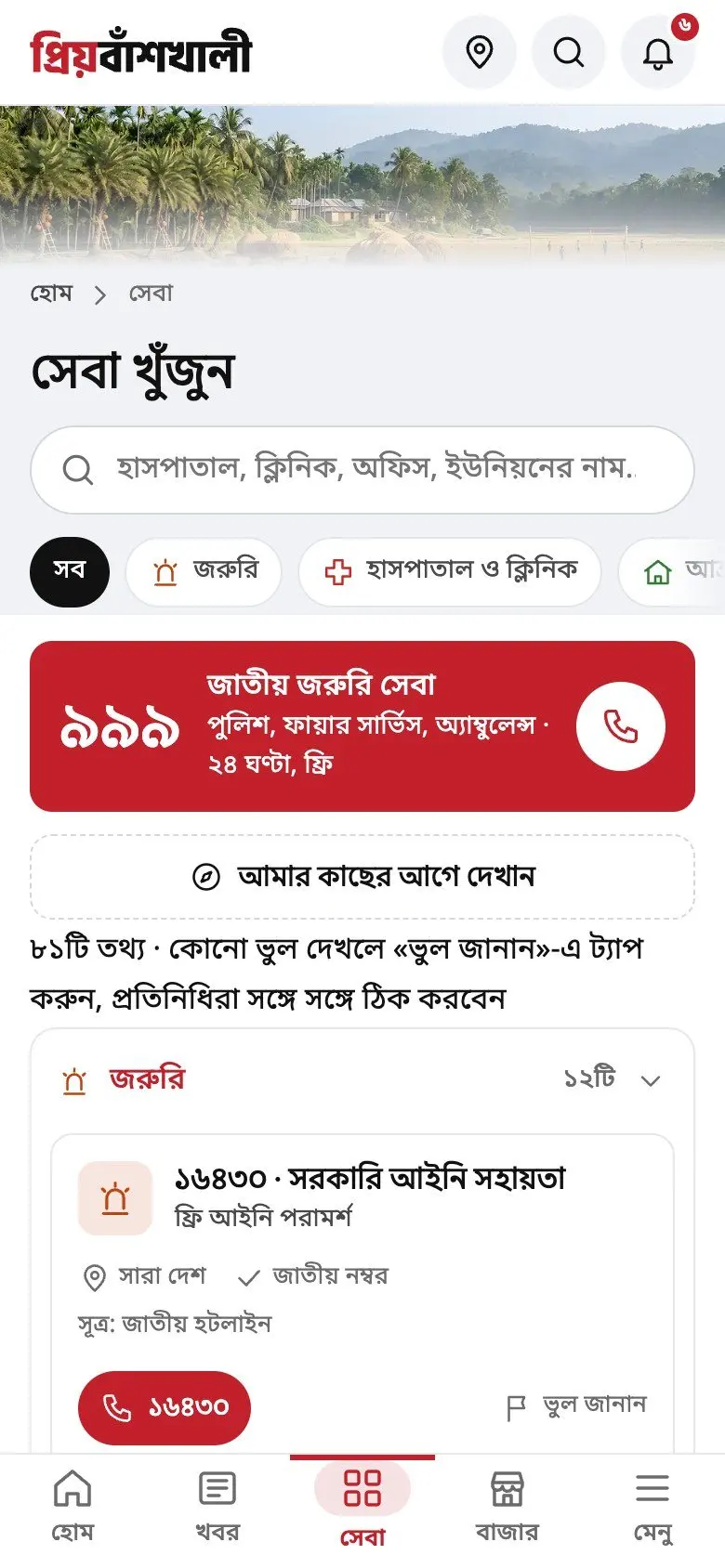
Every emergency number, one tap to call.
The national line sits at the top in red. Below it, hospitals, shelters, offices and union councils, with a button that puts the nearest ones first. Each entry can be reported if it is wrong.
- 05
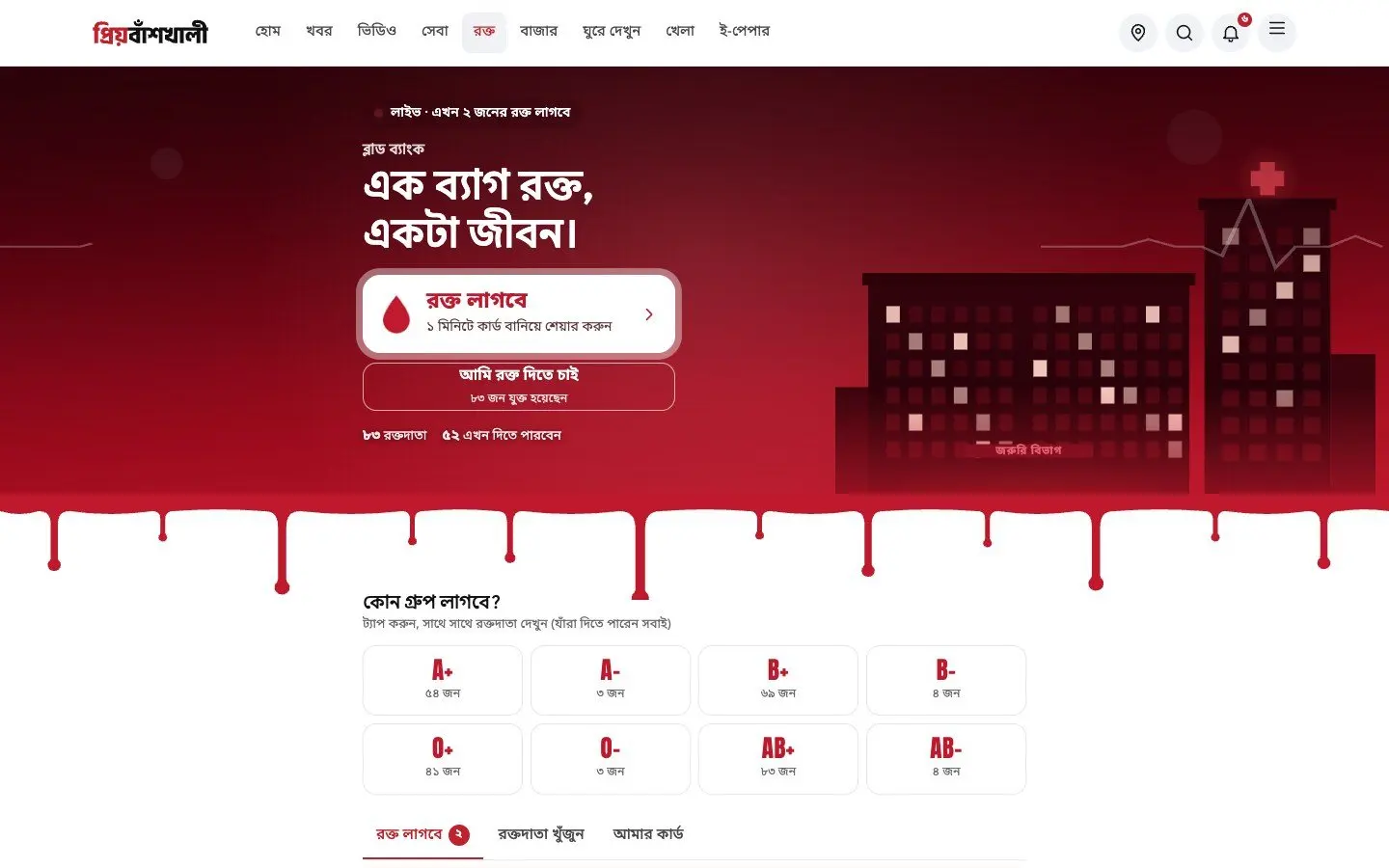
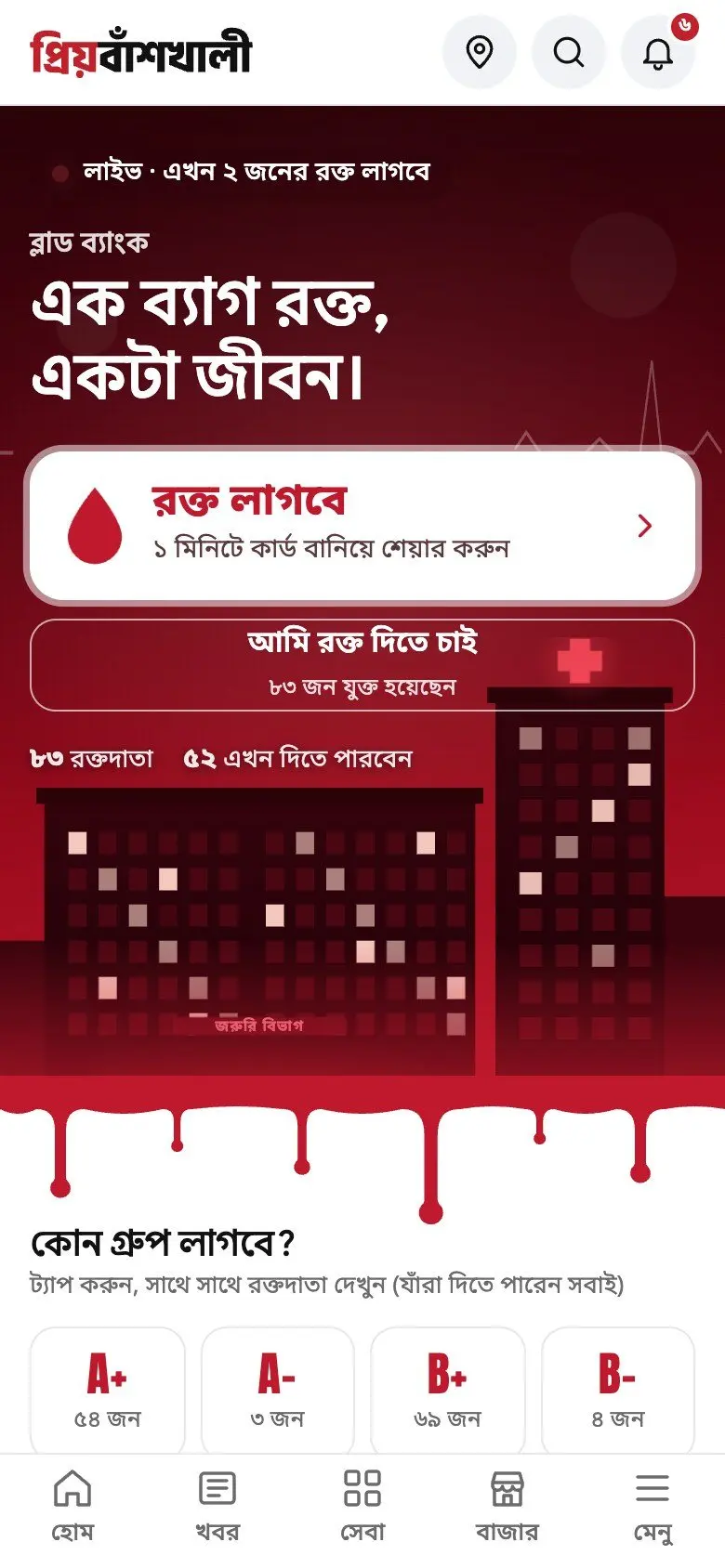
A blood bank that works at 2 am.
Need blood: a request card is ready in a minute and shareable anywhere. Want to give: join the donor list. The page shows how many donors are registered and how many can donate today.
- 06
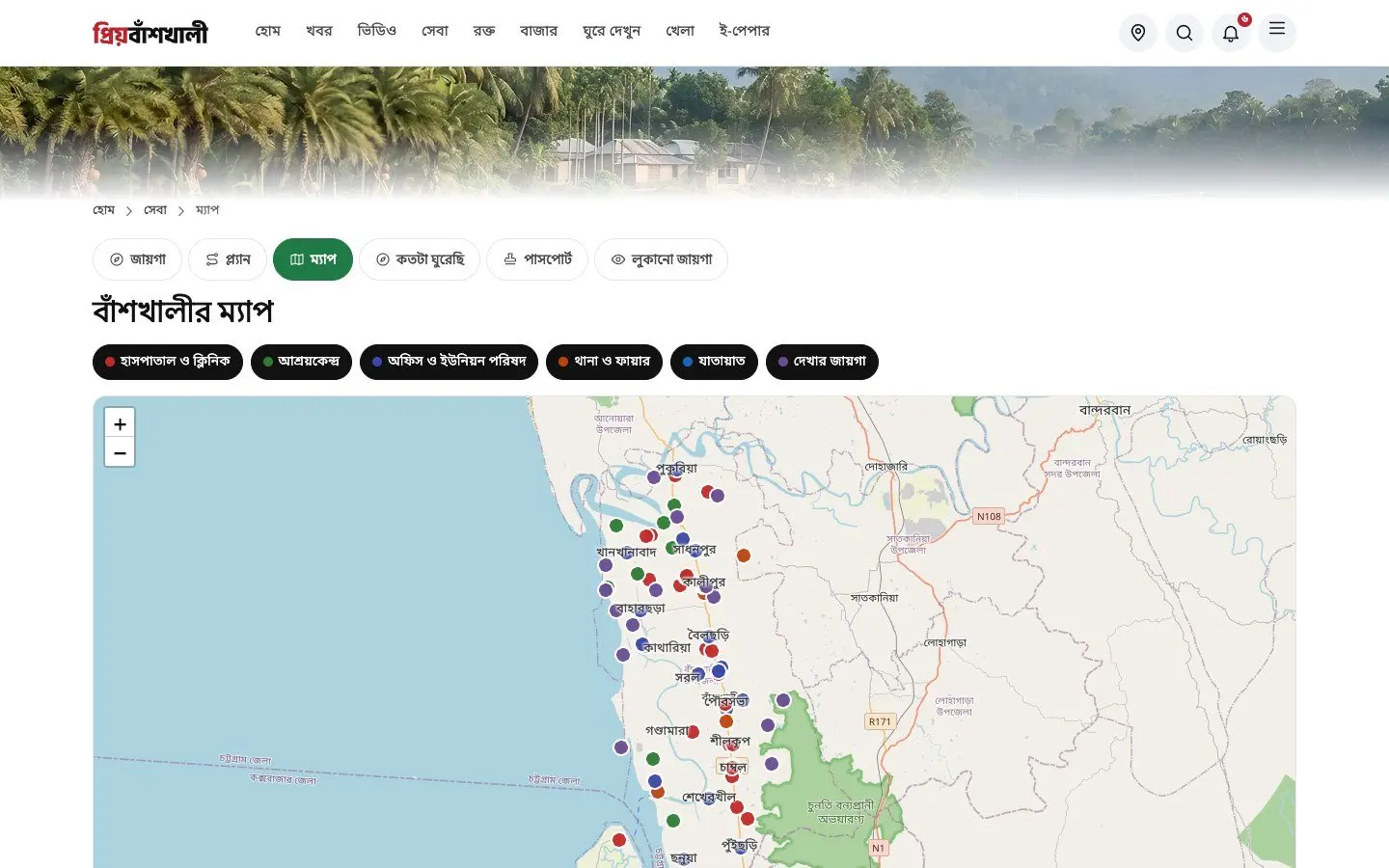
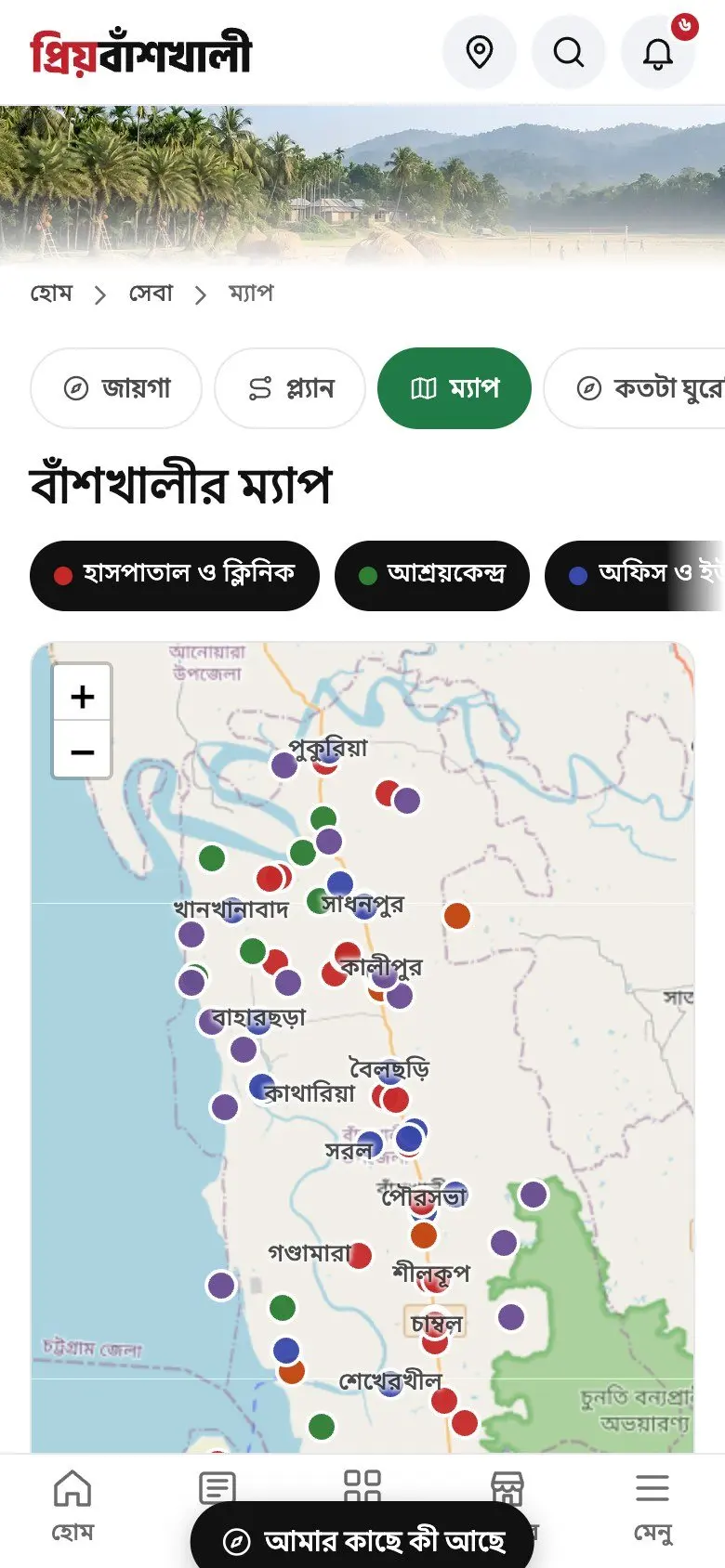
The whole upazila on a map.
Hospitals, shelters, offices and places to see, each as a coloured layer you switch on. It answers 'where is the nearest one?' without a phone call.
- 07
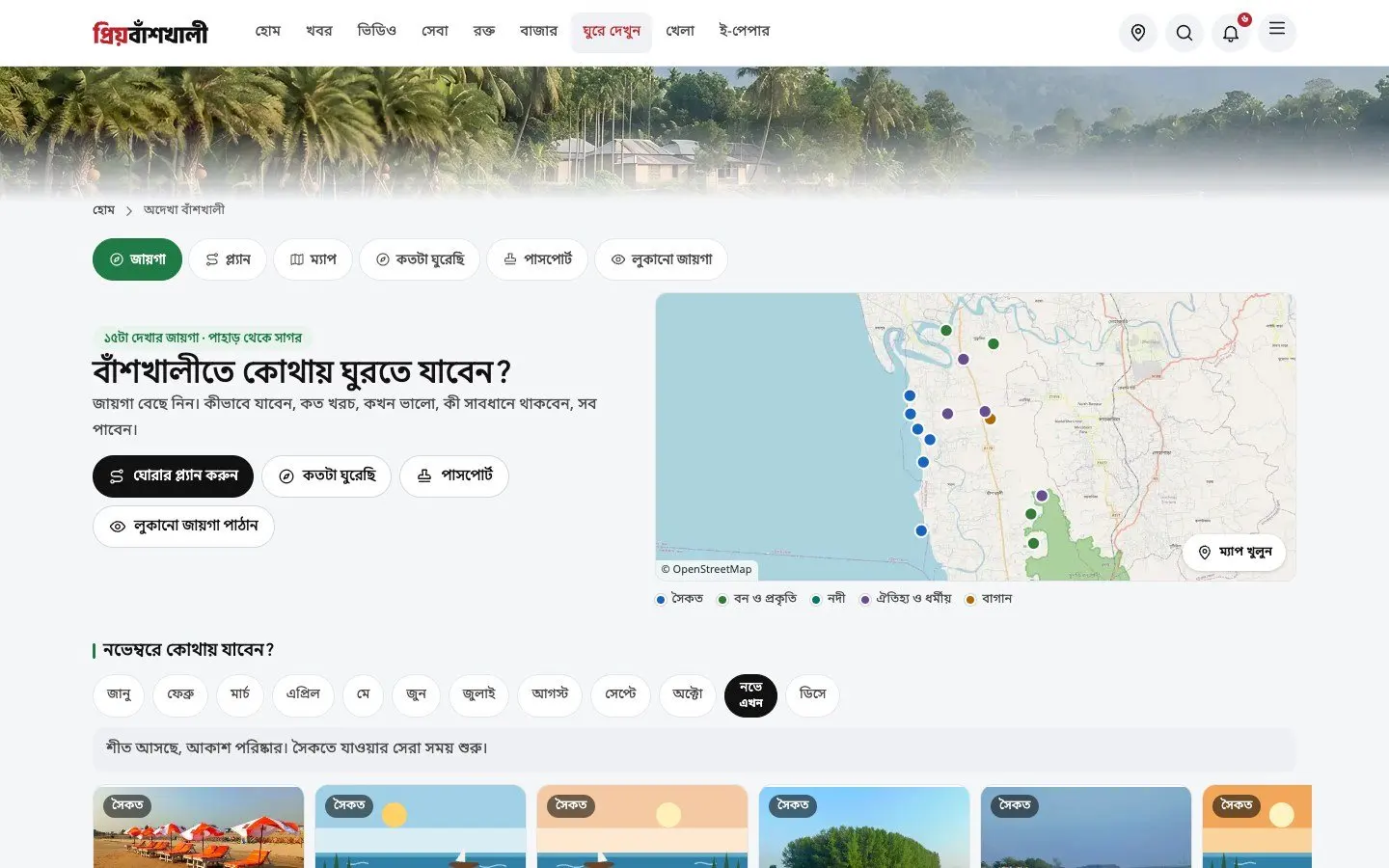
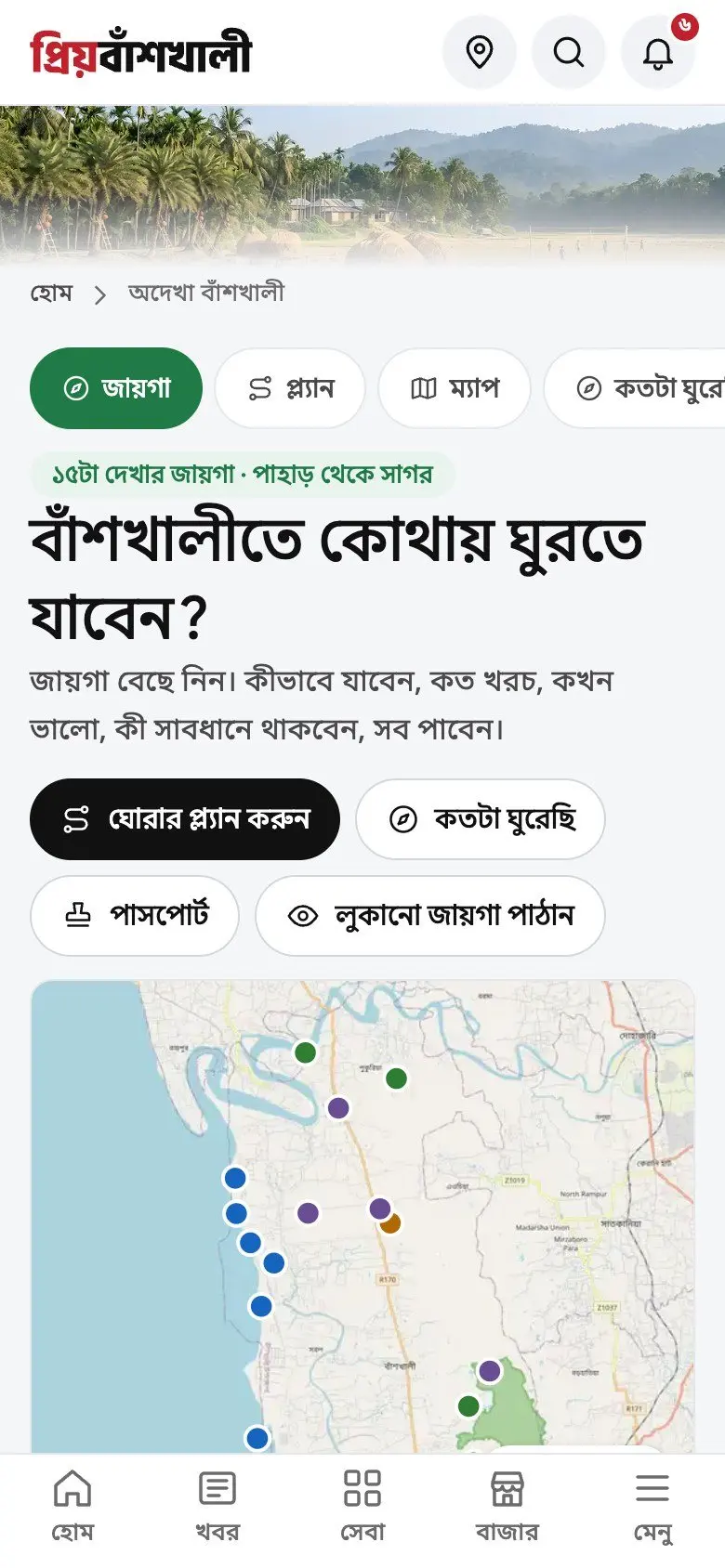
A travel guide with a trip planner.
Beaches, hills and heritage sites with how to get there, what it costs and when to go. Plan a day out, then collect the places you have visited in a travel passport.
- 08
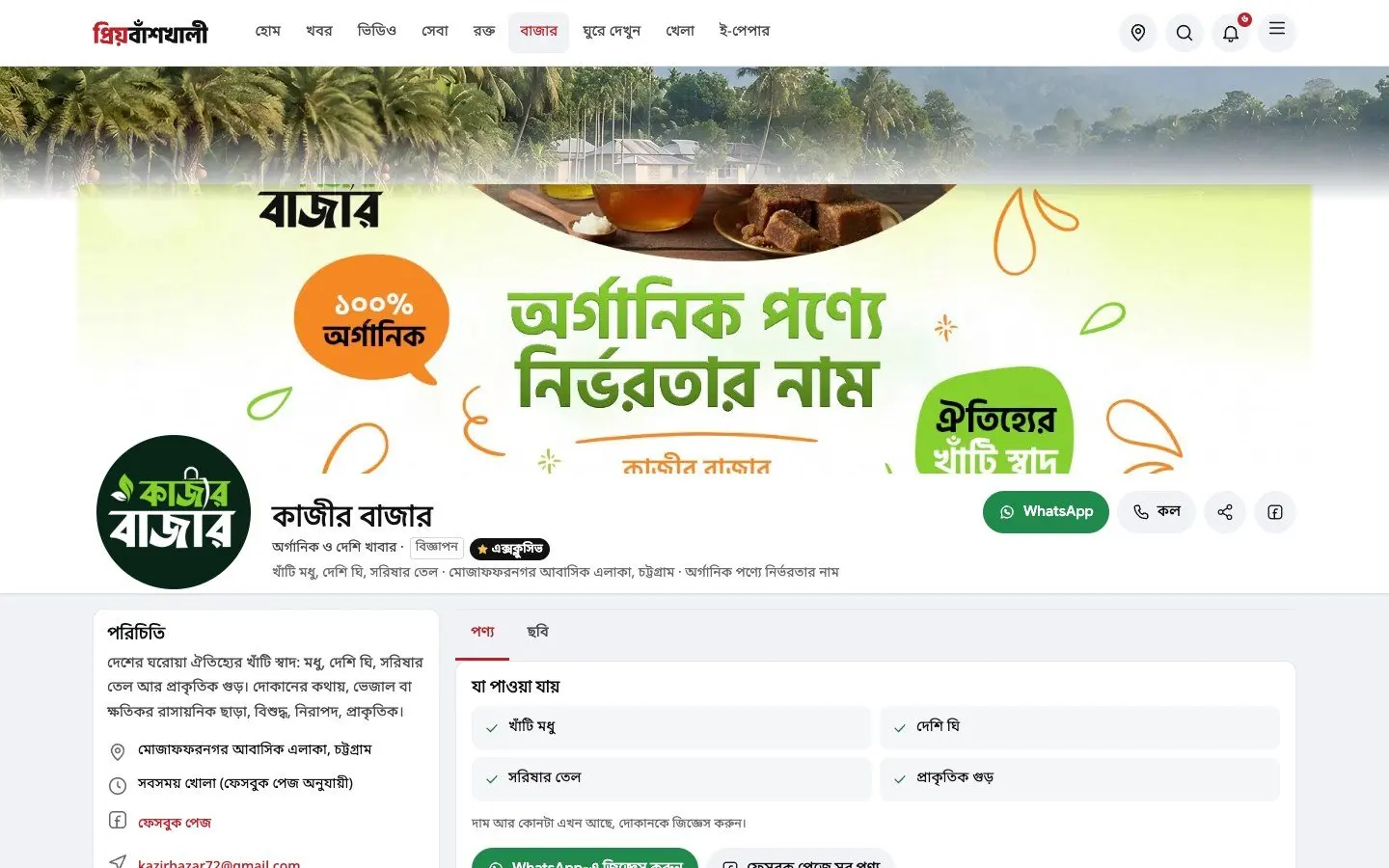
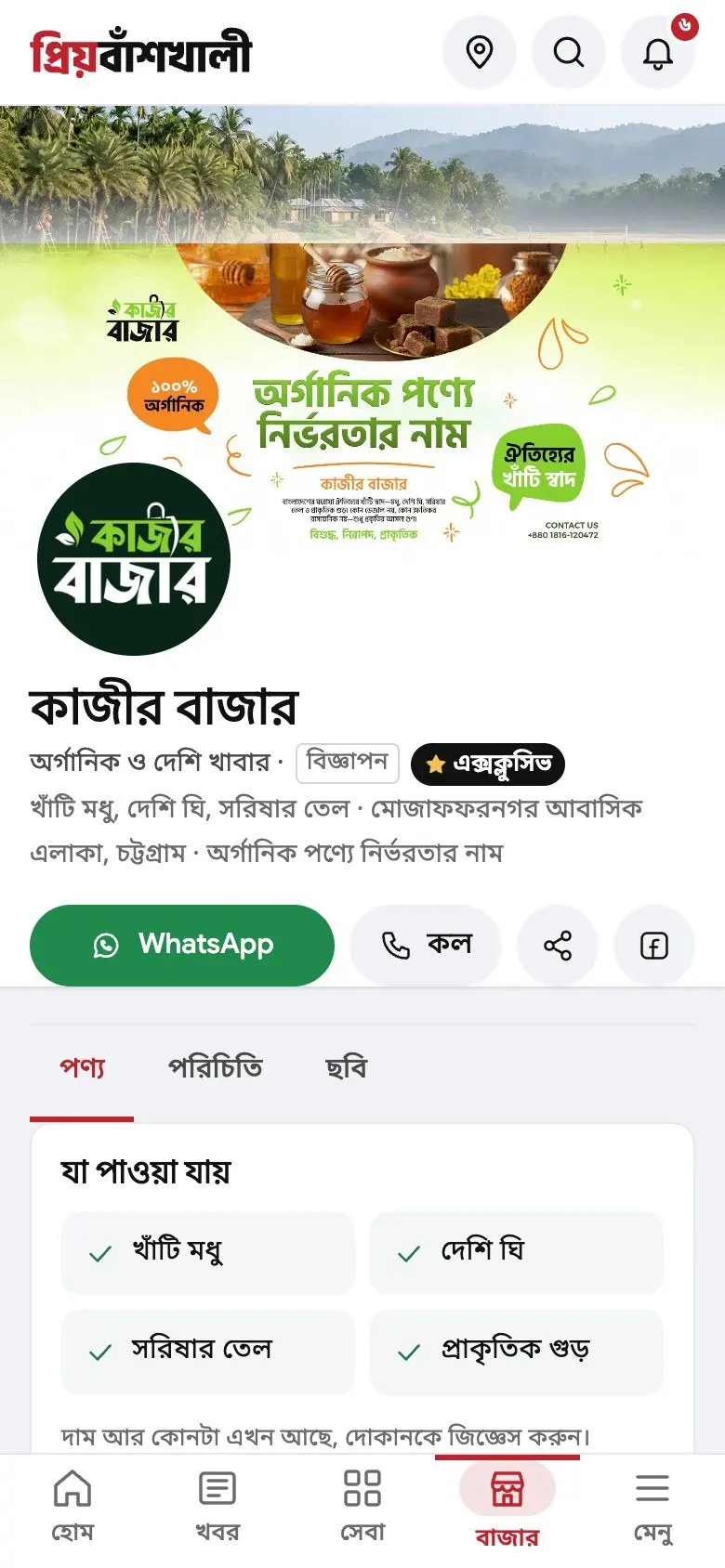
A marketplace for local sellers.
Each shop gets a page with its products, its story and a WhatsApp order button. A switch lets someone abroad send a gift home, and a featured slot is the shop's paid upgrade.
- 09
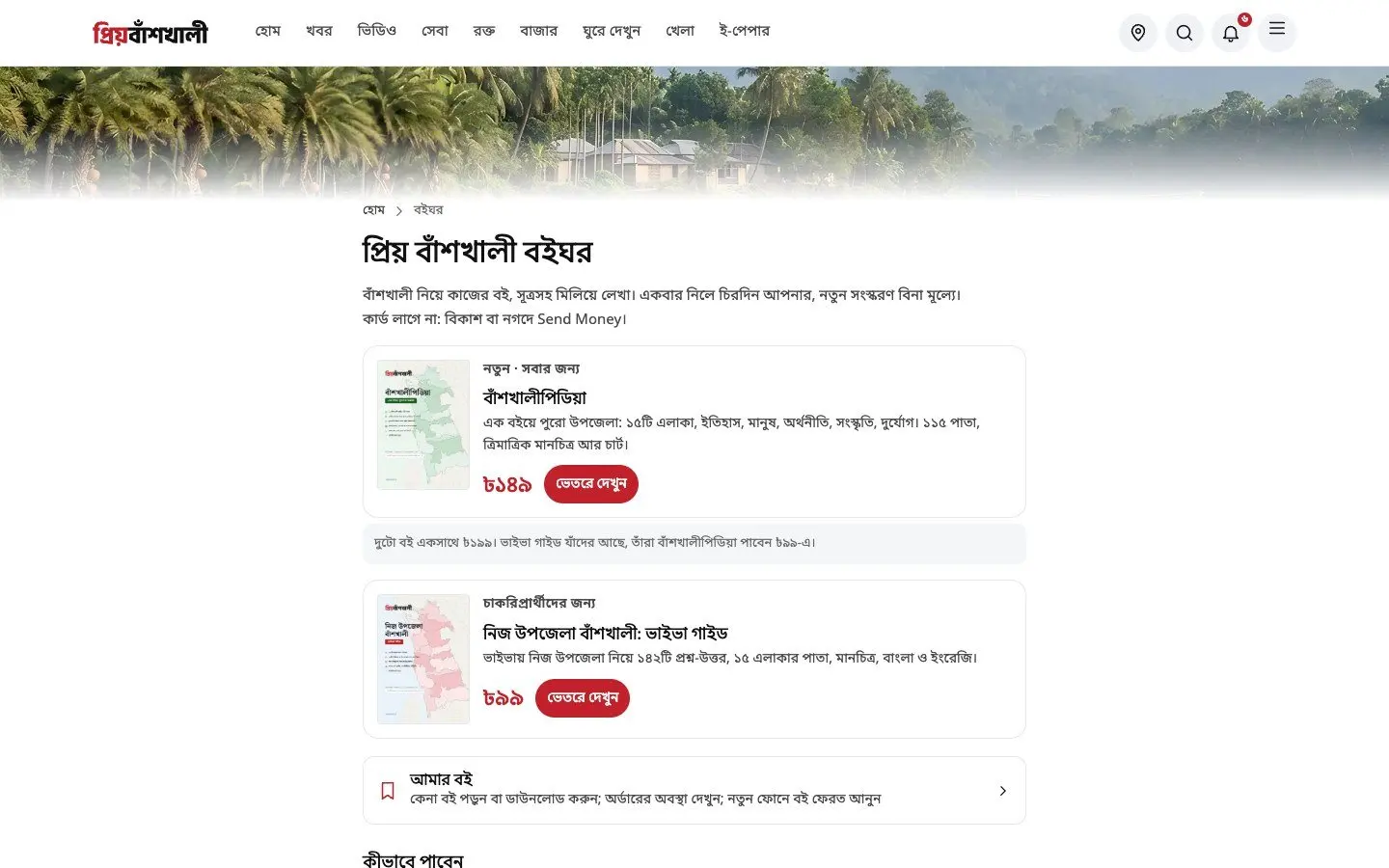
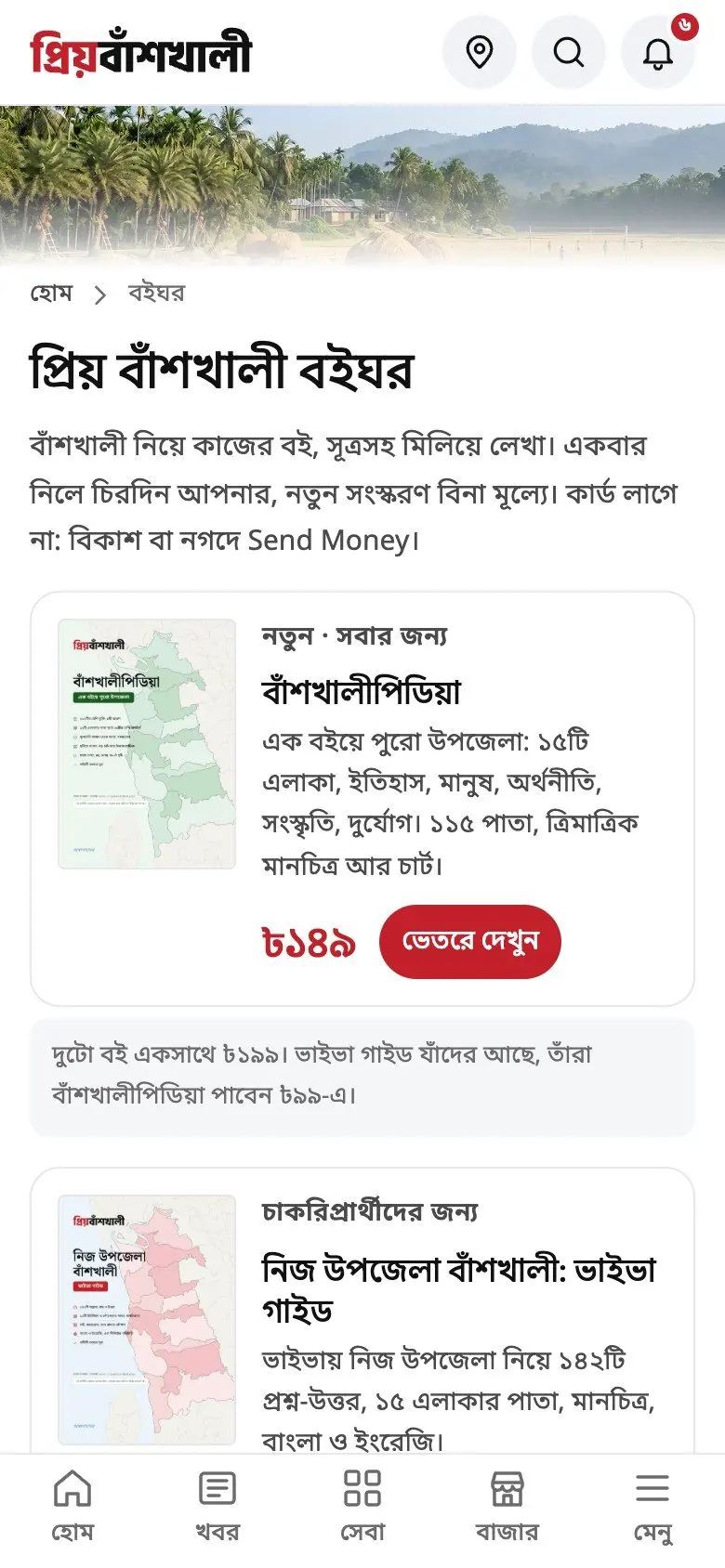
Digital products, sold inside the app.
A bookshop sells guides written from the app's own data: a town encyclopedia and a viva guide for job seekers. Pay once by mobile money, read it forever.
- 10
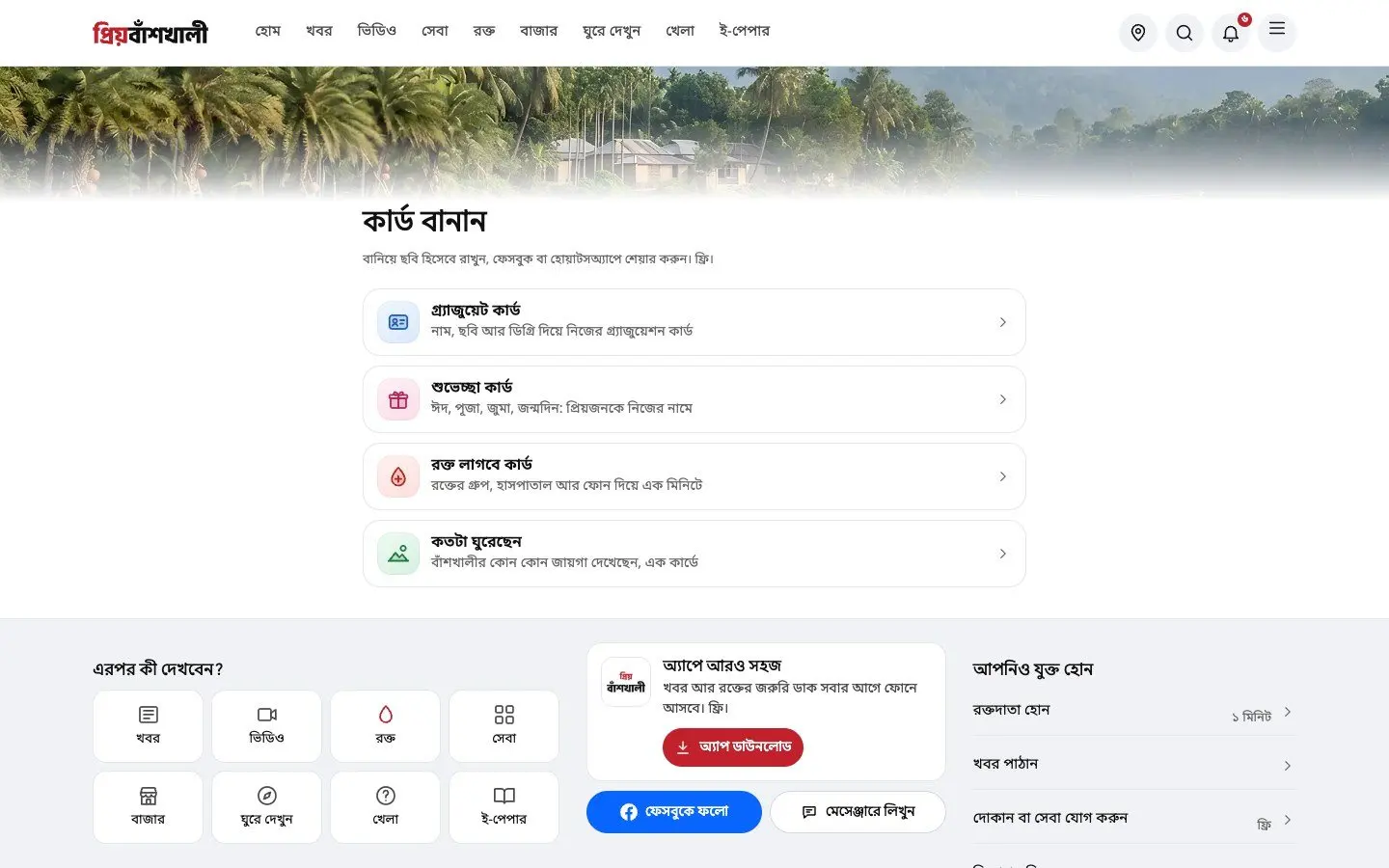
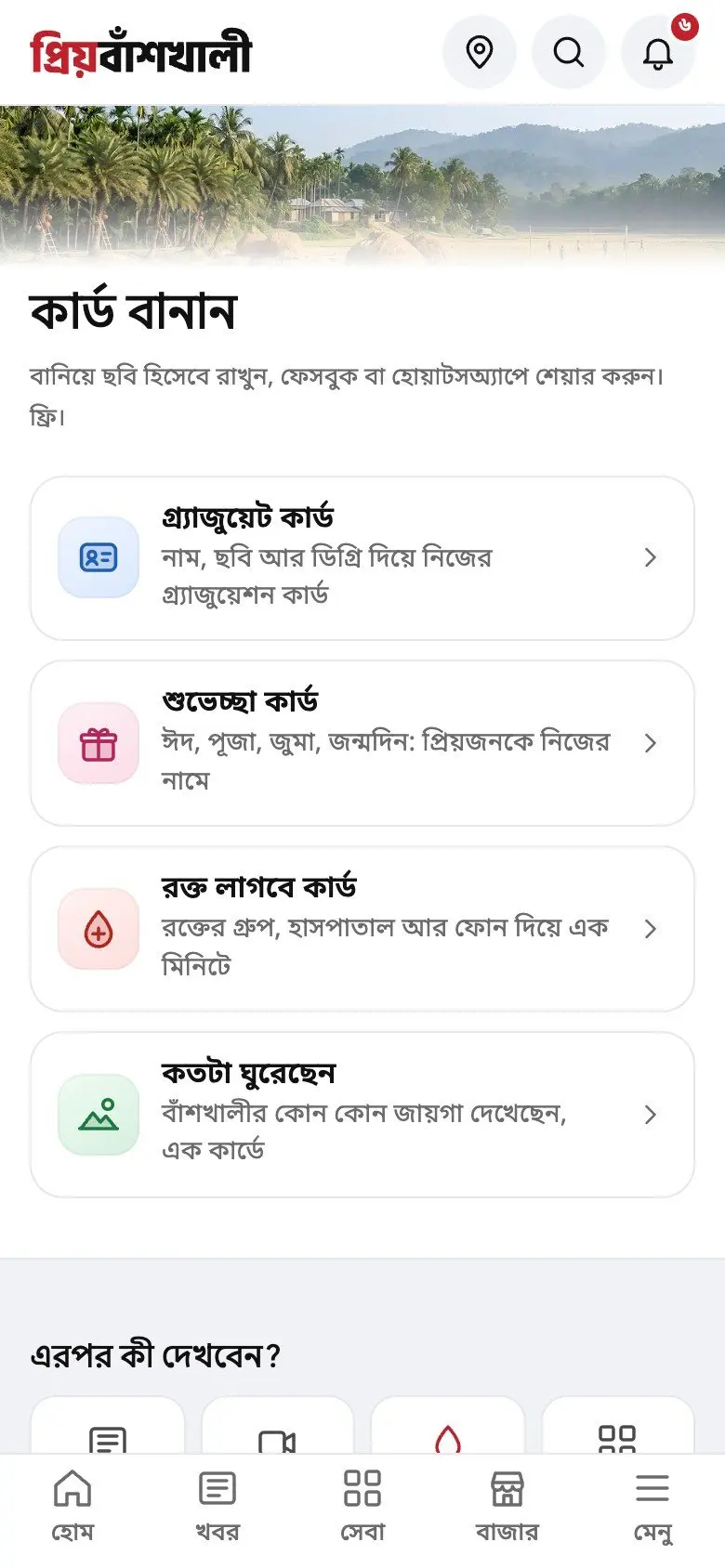
Cards people want to share.
A graduate card, a greeting card, a blood request card and a travel card, each made in a minute with the reader's own name and photo. Every card shared carries the app's name with it.
- 11
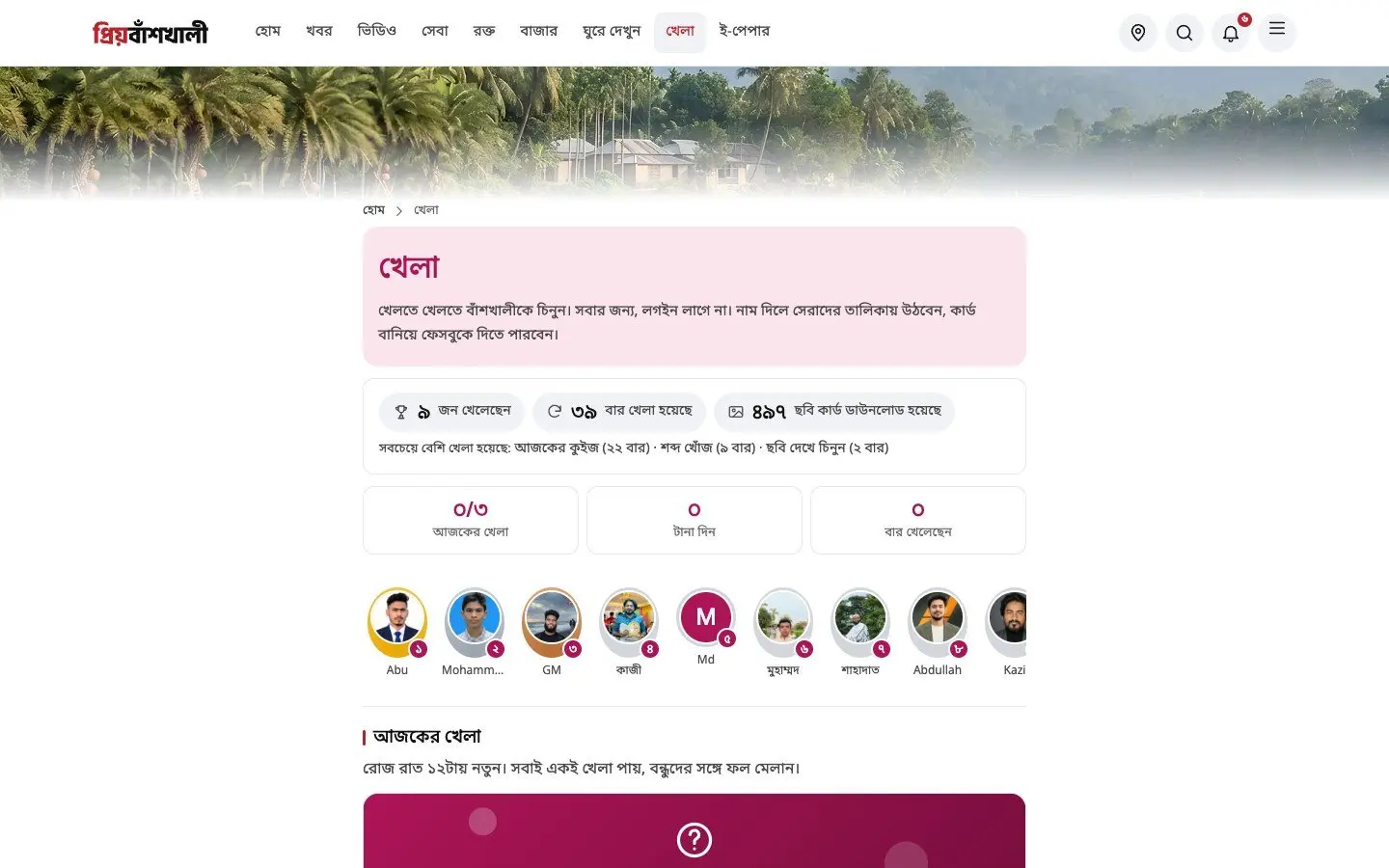
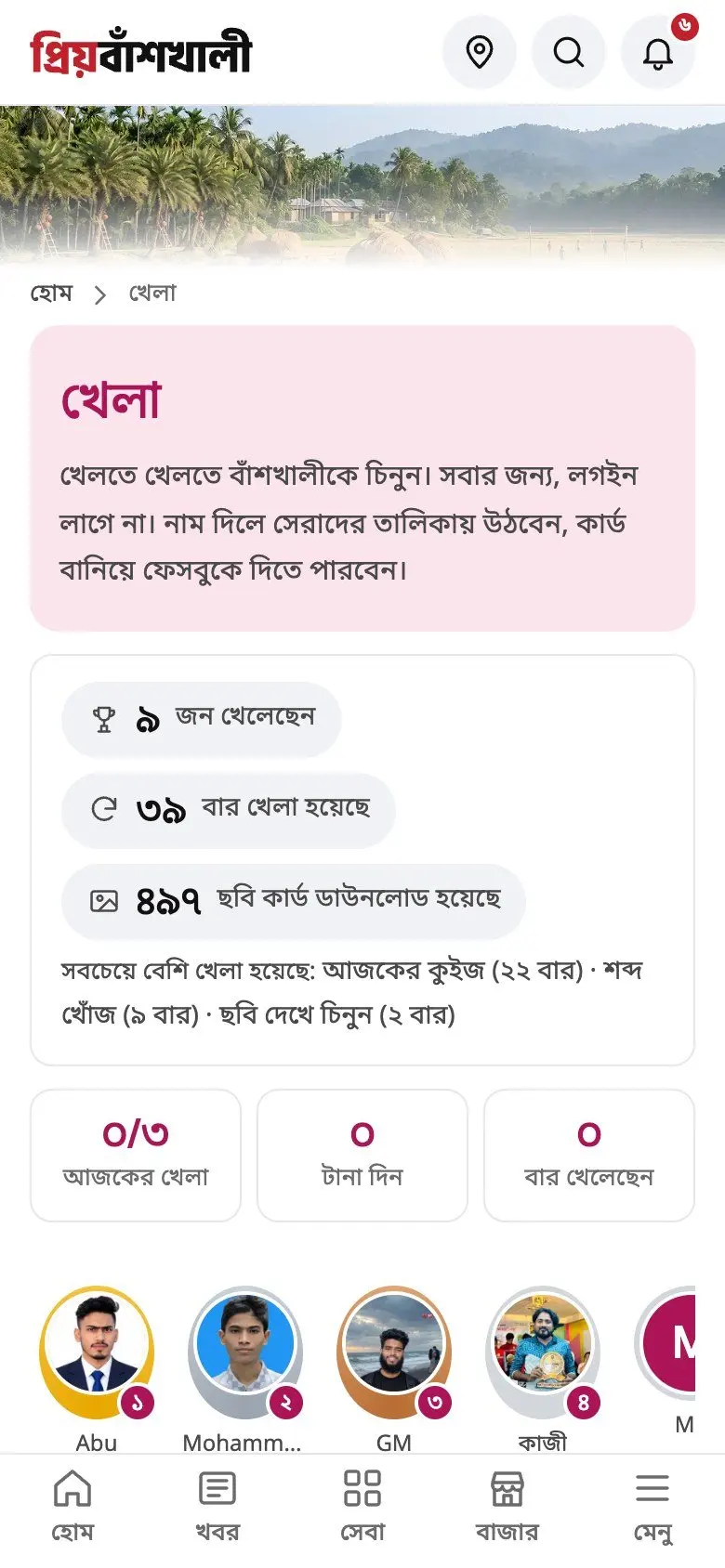
Games that teach the town.
A daily quiz, a matching game, a word search and a guess-the-place game, all about Banshkhali. Scores turn into a share card, and the page shows who played today.
- 12
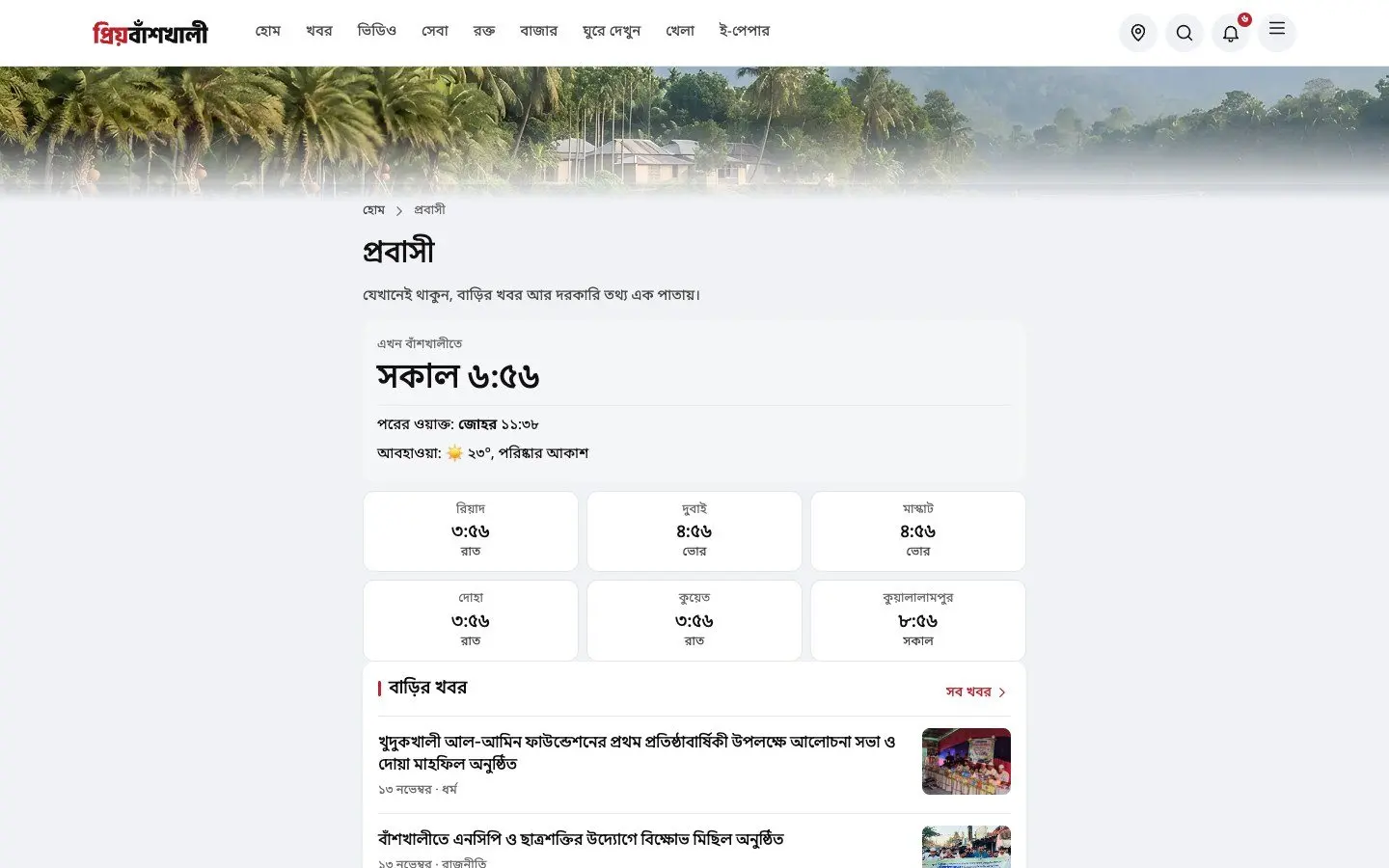
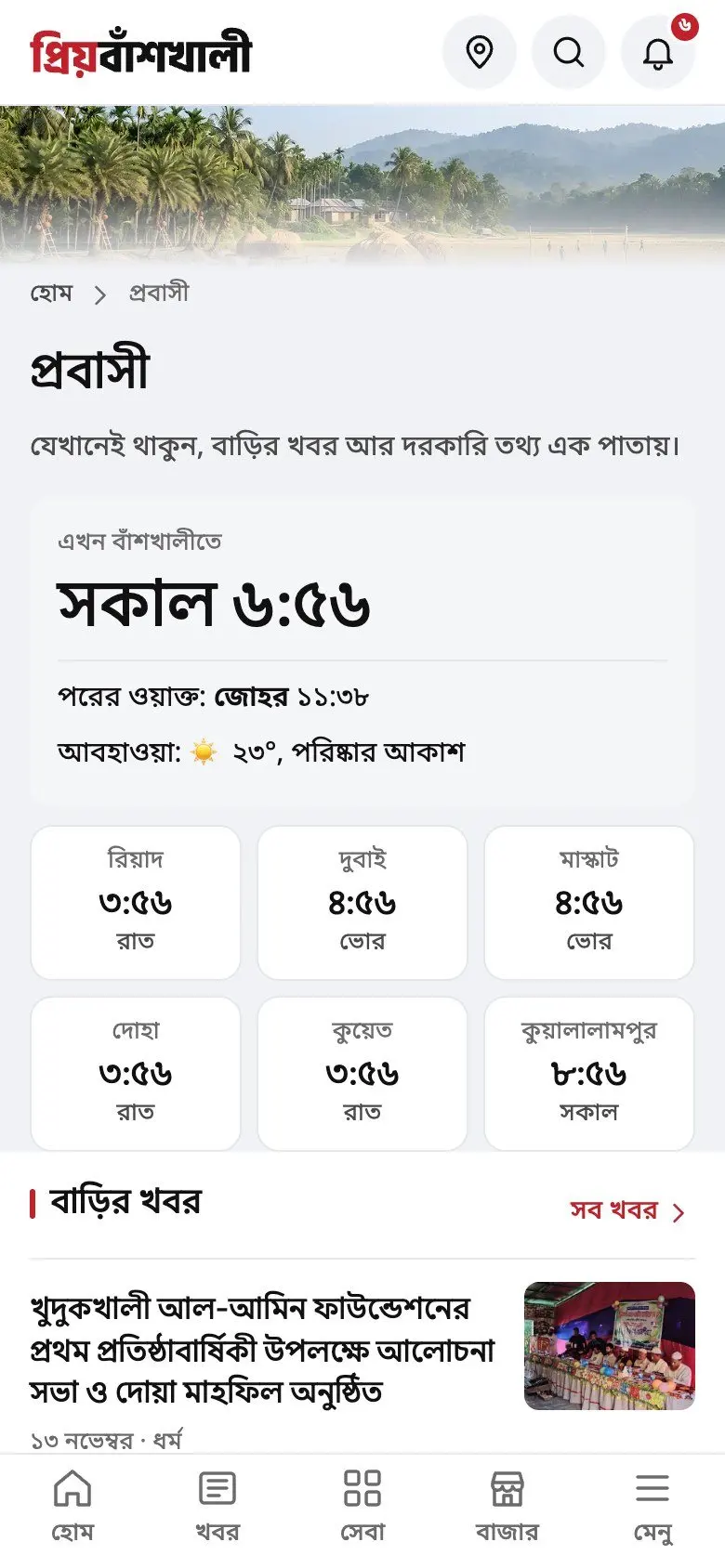
A page for people working abroad.
The time at home, prayer times, the weather and the news from home, on one screen. Many families here have someone working abroad, and this page is built for them.
One story in. Six pieces of content out.
An app like this dies if it goes quiet. So the daily work runs as a system: a story is checked once, then every format is made from it.
- 1
A story comes in
From the desk, or from a reader through the send-news form, with a category and a photo.
- 2
The desk checks it
Nothing prints unverified. Fixes go on a public corrections page.
- 3
It publishes everywhere
The site, the app and that day's e-paper all update from the same entry.
- 4
A photocard is made
The headline, photo, date and sponsor strip drop into a branded template.
- 5
A reel is cut
A vertical video is built from the same story, with captions and a cover.
- 6
It posts on schedule
Cards and reels go out to the social pages daily, without anyone designing from scratch.
WHAT COMES OUT
Want an app or portal like this for your business?
Tell us what you need on a free 30 minute call. You leave with a plan and a price, whether or not we work together.
Seventeen sections, and none of them is filler.
A section earned its place only if it saved someone a phone call, a search or a trip. These are the rules the build followed.
- STEP 01
Start with what saves time
News and the services directory are the base: the two things people ask a local page for most.
- STEP 02
Write for a cheap phone
Pages are light, the type is large and the app installs from the browser, so it works on a mid-range Android with weak signal.
- STEP 03
Make every number tappable
A phone number is a call button. An address opens the map. A request is a card you can share.
- STEP 04
Add reasons to return
Prayer times, the e-paper, the daily quiz and the weather give people something new each morning.
- STEP 05
Design the income in
Three ad slots, featured shops and the bookshop sit inside the layout, so earning never means cluttering a page.
- STEP 06
Give it one look
A red and ink wordmark, one type family and the same card shape across the app, the photocards and the reels.
Reels made from the day's news.
Both were built in code from a template, so the next one takes minutes. Tap to play with sound.
News reel: new council buildings
Awareness reel: dengue
All of it, screen by screen.
Captured from the live app on 14 November 2026, on desktop and on a phone. Tap any screen to see it full size.
If you need one of these, it is already built.
Each part of this app is a product on its own. Any of them can be built for your town, your community or your business.
- A community or city appNews, services, a map and a marketplace in one app that installs from the browser, in your language.
- A newsroom websiteStories by area and topic, reader submissions, a corrections page and a daily e-paper.
- A directory or marketplaceShop pages with WhatsApp ordering, search, categories and a paid featured slot.
- A donor or volunteer networkThe blood bank: sign-up, live availability and a request card ready in a minute.
- Maps and travel guidesLayered maps, place pages, a trip planner and a passport that tracks visits.
- Digital products and adsA bookshop paid by mobile money, and ad slots designed into the layout.
- Games and share cardsA daily quiz, small games and personal cards that spread the brand each time they are shared.
- Content that runs itselfPhotocards and reels made from templates and posted daily, from one checked story.
- 17Sections in one app
- 81Services and emergency numbers listed
- 80Blood donors signed up, as the app showed on 14 Nov 2026
- 15Places to visit, mapped
Want an app your whole community opens every day?
Tell us who it is for. We will show you which parts of this one fit, and what your first version should be.